
Key takeaways
- Compare the best Cricut machines by cutting force, material range and matless cutting, from the compact Joy line to the Maker 3 flagship models.
What's inside
As an Amazon Associate I earn from qualifying purchases. This post may contain affiliate links at no extra cost to you.
The real decision behind a Cricut purchase is not which machine looks nicest on a desk. It is which cutting system matches the materials you actually plan to use, because the gap between a compact sticker cutter and a flagship that handles hundreds of materials is wide, and buying the wrong end of that range either wastes capability or leaves projects unfinished.
This guide is for first-time buyers comparing the whole range, hobbyists ready to step up from a smaller machine, and makers who want one cutter for cards, vinyl, fabric and gifts. Every pick below comes from the current Amazon listings, using the model names and specifications stated on those product pages. The guide also separates the machines by what arrives in the box, since included mats, tools and starter content shape the first week of ownership as much as cutting power does.
Quick Picks
As an Amazon Associate we earn from qualifying purchases.
| Product | Best for | Key spec from title |
|---|---|---|
| Cricut Maker 3 | Makers who want the widest material range in one machine | Cuts 300+ materials with matless Smart Materials cutting |
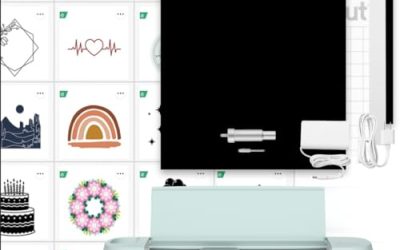
| Cricut Explore 3 Bundle (Blue) | Crafters who want a ready bundle for everyday projects | Cuts 100+ materials and includes a digital content library |
| Cricut Maker (Champagne) | Sewers and fabric crafters who want the Adaptive Tool System | 10x cutting force with the Adaptive Tool System |
| Cricut Joy Xtra | Small-space crafters making stickers and cards | Compact smart cutting machine, Joy Xtra model |
| Cricut Joy Bundle | Beginners who want mats, tools and vinyl in the box | Compact machine with card kit, vinyl sampler, mats and tools |
How to Choose
Cutting Width and Matless Smart Materials
Start with the physical size of what you make, because machine size decides which projects are even possible. Larger machines in the Maker and Explore families handle wide designs for shirts, signs and home decor, while the compact Joy models suit cards, labels and sticker sheets. Matless cutting with Smart Materials removes the step of loading a mat for supported rolls, which speeds up longer vinyl jobs. Check the listing for the exact cutting width of the model you are considering and whether the materials you want are listed as Smart Materials, since matless cutting only applies to those specific products.
Material Range: Match the Machine to Your Projects
The headline material count on a listing tells you how far a machine can grow with you. Models in this guide range from compact machines aimed at paper and vinyl through mid-range cutters listed for 100+ materials, up to Maker models listed for 300+ materials with far stronger cutting force. Think about the thickest or toughest material on your project list, not the easiest one. If fabric, thicker stock or layered projects are part of the plan, the material range and cutting force on the listing matter more than colour or footprint. Buyers who only cut cardstock and vinyl can safely choose a simpler model.
Tools, Blades and the Wider Ecosystem
A Cricut machine is the centre of a system rather than a standalone tool, and the tools it accepts decide what finishes you can produce. The Maker family uses the Adaptive Tool System, which is built to swap between different tool types as projects change, while other models use their own tool arrangements. Before choosing, look at which tools and blades the listing says the machine works with, and what is included in the box versus sold separately. A bundle that already contains mats and a basic tool set can matter more for your first projects than a small difference in the machine itself.
Design Space Software: Check It on the Listing
Every machine here works through Design Space, so treat the software as part of the purchase rather than an afterthought. Listings state which operating systems a machine supports, such as iOS, Android, Windows and Mac, and bundles may include a digital content library to get you started. Check that your phone, tablet or computer appears in the compatibility list on the product page, and note whether the listing mentions included images or content, because that affects what you can make on day one. A machine that does not match your devices is the wrong machine, however strong its cutting force looks.
The 5 Best Options
Cricut Maker 3

The Maker 3 is the flagship choice for makers who refuse to narrow their project list. Its listing leads with speed, strength and the broadest material range in this line-up, which suits people moving between vinyl decals, fabric pieces, card projects and thicker craft materials in the same week. If you sell finished items, teach classes or simply dislike the idea of outgrowing a machine within a year, this is the model built around that worry. It also supports matless cutting with Smart Materials, which keeps longer production runs moving without constant mat loading.
Specs
- 2x faster cutting compared with the previous generation, per the listing
- 10x cutting force
- Matless cutting with Smart Materials
- Cuts 300+ materials
- Bluetooth connectivity
- Works with iOS, Android, Windows and Mac
Best for: Serious hobbyists and small sellers who want one machine for the widest possible range of materials.
Watch out for: Confirm which tools and accessories are included in the box, since the machine itself is only part of the full working setup.
ASIN: B0942SQ5BD
Cricut Explore 3 Bundle (Blue)

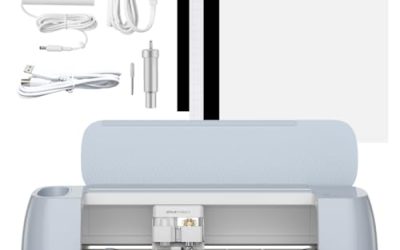
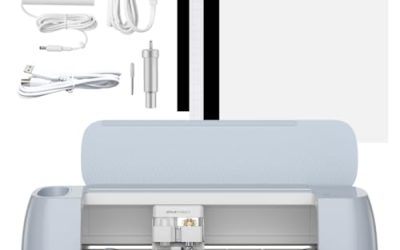
The Explore 3 bundle suits the broad middle of the craft market: people whose projects live in vinyl, iron-on, cardstock and paper, and who would rather open a box that already contains extras than assemble a kit piece by piece. The listing positions it as a faster machine covering 100+ materials, which is plenty for shirts, mugs, signs and party decorations. The included digital content library in Design Space gives new owners designs to cut immediately while they learn the software. For most home craft rooms, this balance of speed, range and bundled content is the sensible centre of the range.
Specs
- Cuts 100+ materials
- 2x faster cutting, per the listing
- Bundle edition in blue
- Includes a digital content library of 30 images in Design Space
Best for: Everyday crafters who want a capable mid-range machine with starter content included.
Watch out for: Check the bundle contents list carefully so you know exactly which extras are included and which supplies you still need to add.
ASIN: B0BJHH35DH
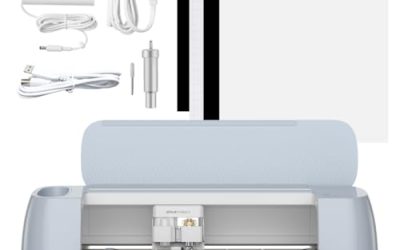
Cricut Maker (Champagne)

The original Maker remains relevant for buyers whose projects lean toward fabric and layered materials, because its Adaptive Tool System and strong cutting force were the features that defined the Maker line. It carries the same 300+ material claim as its newer sibling, so sewers, quilters and mixed-media crafters who find this generation available can still build a serious setup around it. The Champagne finish is the version listed here. Where the Maker 3 pushes speed and matless cutting, this model appeals on tool versatility and material range for buyers prioritising what the machine can cut over how new the generation is.
Specs
- 10x cutting force
- Cuts 300+ materials
- Adaptive Tool System
- Bluetooth connectivity
- Works with iOS, Android, Windows and Mac
- Champagne finish
Best for: Fabric and mixed-media crafters who value the Adaptive Tool System and wide material range.
Watch out for: Compare the included accessories against the newer Maker 3 listing, since generation differences change what arrives in the box.
ASIN: B072VYPWM4
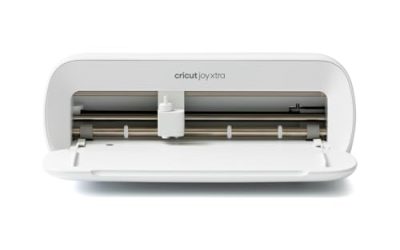
Cricut Joy Xtra

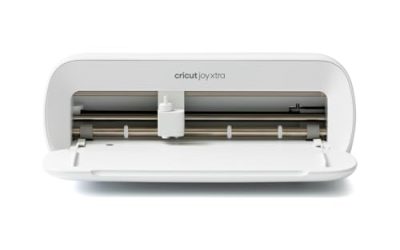
The Joy Xtra is the pick for crafters whose projects are small but frequent: sticker sheets, cards, labels and quick personalised gifts. Its compact footprint means it can live on a shelf or desk corner instead of demanding a dedicated craft table, which changes how often people actually use it. The model line is positioned around fitting full-size sticker sheets and common card sizes, so it covers the everyday paper projects that larger machines are oversized for. If your craft storage is one drawer and your projects finish in an evening, this smaller format fits that rhythm far better than a full-size cutter.
Specs
- Compact smart cutting machine
- Model: Cricut Joy Xtra
Best for: Small-space crafters focused on stickers, cards and labels.
Watch out for: Check the listing for the exact project sizes this model handles, since its compact format is not intended for wide designs.
ASIN: B0CF6L9SMJ
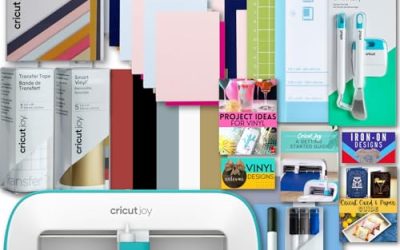
Cricut Joy Bundle

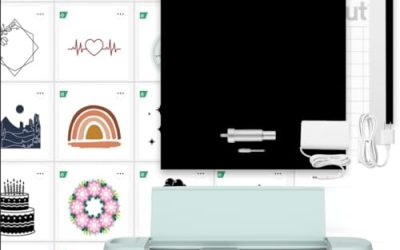
This Joy bundle is built for buyers who want the smallest machine in the range to arrive as a complete starter kit rather than a bare unit. Alongside the compact machine, the box includes a card kit, a sampler Smart Vinyl roll, cutting mats and a tool set, so the first projects can start the same day without a second order. That makes it a strong gift choice and a low-friction entry for card makers and label lovers. Buyers who later want wider cuts can step up the range, but as a self-contained starting point this bundle removes the usual accessory guesswork.
Specs
- Compact cutting machine
- Card kit included
- Sampler Smart Vinyl roll included
- Cutting mats included
- Tool set included
- Model: zJoyM21
Best for: New crafters and gift buyers who want a complete small-format kit in one box.
Watch out for: Note the included vinyl is a sampler, so plan on adding full rolls once you move past the first practice projects.
ASIN: B0D2Y8RYCC
Which One Fits Your Situation
You Make a Bit of Everything
Choose the Cricut Maker 3. A mixed project list is exactly what its 300+ material range and matless Smart Materials cutting are built for, and its speed helps when projects stack up. The original Maker is the alternative here if the Adaptive Tool System matters more to you than the newer generation’s speed, since it carries the same wide material claim with a different emphasis.
Your Craft Room Is a Corner of a Small Home
Choose the Cricut Joy Xtra. A compact machine that stays within reach gets used for the quick cards, labels and sticker sheets that make up most everyday crafting, instead of sitting in a cupboard between rare big projects. Measure your storage space first, then check the listing for the project sizes it handles, and you will know quickly whether this format matches your routine.
You Want a Capable Machine Without Going Flagship
Choose the Cricut Explore 3 Bundle. Its 100+ material range covers the vinyl, iron-on and paper projects most home crafters actually make, and the bundled digital content library means your first cuts do not wait on design hunting. It sits in the productive middle: more range than the Joy line, less commitment than the Maker family, and a bundle format that reduces the number of separate accessory decisions.
You Are Buying a Gift for a New Crafter
Choose the Cricut Joy Bundle. Gifts fail when the recipient needs three more orders before making anything, and this box avoids that by including a card kit, vinyl sampler, mats and tools with the machine. The compact size also lowers the intimidation factor for a first machine. If the recipient already talks about fabric or selling finished goods, step up to the Maker 3 instead, but for a first taste of cutting crafts, the bundle is the safer present.
Common Mistakes
- Buying the flagship for cardstock and vinyl only, when a smaller machine in the range covers those materials and leaves budget for supplies you will actually use.
- Assuming matless cutting works with every material, when listings tie it specifically to Smart Materials, so standard rolls and sheets may still need a mat.
- Ignoring the included contents and ordering a bare machine, then discovering mats, tools or starter materials are separate purchases that delay your first project.
- Skipping the compatibility check for Design Space on the listing, then finding the machine does not pair with the phone, tablet or computer you planned to design on.
- Choosing by machine size alone without checking the cutting width on the product page, which decides whether your widest planned design fits at all.
Frequently Asked Questions
Which Cricut machine handles the most materials?
Based on the listings in this guide, the Maker models sit at the top, with both the Maker 3 and the original Maker listed as cutting 300+ materials. The Explore 3 is listed at 100+ materials, while the Joy models are compact machines aimed at smaller everyday projects. Match the count to your thickest planned material rather than buying the biggest number by default.
Do I need a cutting mat for every project?
Not always. The Maker 3 listing includes matless cutting with Smart Materials, which means supported Smart Materials can be loaded without a mat. Other materials and other machines may still require one, and the Joy bundle includes cutting mats for that reason. Check the product page for the specific material you plan to use before assuming a mat is unnecessary.
What should I check before my Cricut arrives?
Confirm three things on the listing: that your phone, tablet or computer is in the supported operating systems, what is included in the box, and which materials the machine is listed to cut. Those checks prevent the common first-week problems of software mismatch, missing mats or tools, and buying supplies the machine is not designed to handle.
Is a bundle better than buying the machine alone?
A bundle helps when its contents match your first projects, as with the Explore 3 bundle’s included digital content library or the Joy bundle’s card kit, mats and tool set. It helps less when the extras duplicate supplies you already own. Compare the contents list on the product page against your craft shelf before deciding, rather than assuming more items automatically means better value.
Related guides
More from Amazon
Programs that pair well with the guide above. Offers and eligibility are set by Amazon and may change.
Set up recurring deliveries of everyday items on eligible products. Terms and savings are set by Amazon.
Explore Subscribe & SaveFree shipping on eligible items, Prime Video and more. Eligible new members can start with a free trial.
Start a Prime free trialAudiobooks and podcasts to listen to on the go. Eligible new members can start with a free trial.
Try Audible freeRead from a large library of eBooks and audiobooks on any device. Check Amazon for current plans.
Explore Kindle UnlimitedAs an Amazon Associate we earn from qualifying purchases.

Write Your Review
No reviews yet. Be the first to share your experience!