
Key takeaways
- Five Cricut machines for wedding DIY compared for invitations, place cards, signage vinyl and favour tags, with timeline and test-cut advice for couples.
What's inside
As an Amazon Associate I earn from qualifying purchases. This post may contain affiliate links at no extra cost to you.
A wedding is the one craft project with a fixed, immovable deadline and a guest list counting every piece. The real decision is not which machine cuts the prettiest single sample; it is which one can reproduce one design suite — invitations, envelope liners, place cards, signage, favour tags — accurately across dozens or hundreds of items, months apart, without drifting in quality or exhausting the couple making them.
This guide is for couples and their helpers planning to make a meaningful share of the wedding stationery and decor themselves. The picks below were chosen from their Amazon product titles and listing details, favouring material range for cardstock and vinyl, repeatability for batch work, and included extras that shorten the learning curve before the real production run begins.
Quick Picks
As an Amazon Associate we earn from qualifying purchases
| Product | Best for | Key spec from title |
|---|---|---|
| Cricut Explore 3 Bundle | Full stationery suites with a starter library | Cuts 100+ materials, 2x faster, 30-image library included |
| Cricut Maker 3 | Large batches plus thick, varied materials | Matless Smart Materials, cuts 300+ materials, 10x cutting force |
| Cricut Joy Xtra | Place cards, labels and favour tags in small runs | Compact smart cutting machine positioned for cards, stickers and labels |
| Cricut Maker | Scored, folded pieces and heavy cardstock | 10x cutting force, Adaptive Tool System, cuts 300+ materials |
| Cricut Joy Bundle | Simple cards and decals with tools included | Card kit, sampler Smart Vinyl roll, cutting mats and tool set included |
How to Choose
Match the machine to your full project list
Write the whole list before choosing: invitations, envelope liners, place cards, table numbers, signage, favour tags, maybe a cake topper. Each item leans on a different material, from heavy cardstock to adhesive vinyl for boards and mirrors. A machine that cuts over one hundred materials covers a typical suite; one that cuts over three hundred adds thicker and more unusual stock. The right choice is the smallest machine that covers every item on your list with margin, because an uncovered project discovered in month three means hand-cutting or a second purchase under time pressure.
Consistency across a suite is the real test
Wedding pieces are seen together, so small inconsistencies show. The same motif may appear on the invitation, the menu and the favour tag, at different sizes, cut weeks apart. Favour a machine and software workflow that lets you save projects, reuse files at exact sizes, and return to a design without rebuilding it. Run the complete suite once as a prototype early, photograph it together, and only then commit to materials in quantity. A machine that repeats a saved design faithfully is worth more for weddings than one with a longer feature list you will never open.
Plan the timeline backwards from the day
Work backwards from the wedding date and give every suite item its own deadline: invitations leave months ahead, place cards wait for the final guest list, signage can be finished in the last fortnight. Test cuts belong at the very start of that calendar, not the week of production. Order cardstock and vinyl early, cut a full spare set of anything fragile, and keep finished pieces flat, dry and out of sunlight. The machine decision supports this plan: faster cutting and matless workflows matter most when one item must be produced one hundred and fifty times in a weekend.
Check scoring and fine detail before you commit
Folded invitations, boxed favours and tented place cards all depend on clean score lines as much as clean cuts. Scoring tools and compatibility vary by model, so treat cardstock scoring as a listing check: confirm which tools the machine accepts and whether they are included or separate purchases. Fine detail matters too — thin script fonts and delicate envelope-liner patterns punish dull blades and tired mats. Practise your exact font at its exact size on your exact cardstock, because a design that cuts beautifully at large sizes can tear when reduced to place-card scale.
The 5 Best Options
Cricut Explore 3 Bundle

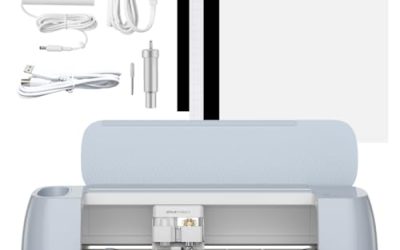
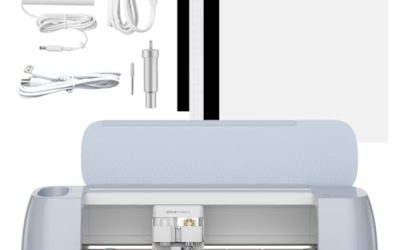
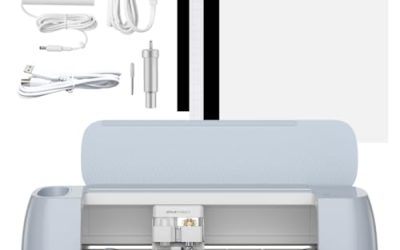
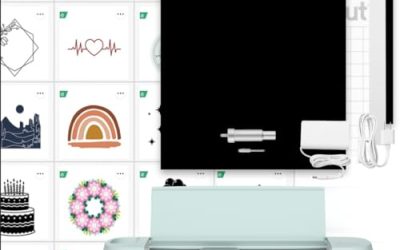
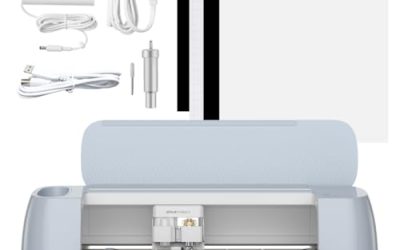
For most couples, the Explore 3 bundle is the balanced starting point for a full wedding suite. It cuts more than one hundred materials, which covers the cardstock, vinyl and iron-on work a typical celebration involves, and it cuts at twice the speed of earlier generations, a difference you feel when place cards run into the dozens. The included thirty-image library gives you designs to practise scoring and weeding on before your real artwork is final. As a bundle it reduces the accessory hunting that eats weekends, leaving more of your timeline for the test cuts that make production calm.
Specs
- Cuts 100+ materials
- 2x faster than previous generations
- 30-image library included
- Bundle configuration in blue
Best for: Couples making a complete invitation and decor suite on one machine.
Watch out for: Confirm which tools are included for scoring folded pieces, and verify the accessory list in the bundle before assuming everything is in the box.
Cricut Maker 3

The Maker 3 suits weddings where the project list keeps growing. Matless cutting with Smart Materials speeds up long runs of identical pieces, and with more than three hundred materials and ten times the cutting force, it handles thick cardstock, specialty papers and heavier decor materials that lighter machines avoid. Bluetooth keeps it flexible in a spare room turned wedding workshop. If one household machine must produce invitations, signage vinyl, favour packaging and a few ambitious extras, this is the model that rarely forces a project off the list, and it keeps earning its space long after the wedding itself.
Specs
- 2x faster cutting
- 10x cutting force
- Matless cutting with Smart Materials
- Cuts 300+ materials
- Bluetooth connectivity
Best for: Large guest counts and suites spanning paper, vinyl and thick materials.
Watch out for: Matless speed applies to Smart Materials; standard cardstock still runs on mats, so budget mats and blades for batch work.
Cricut Joy Xtra

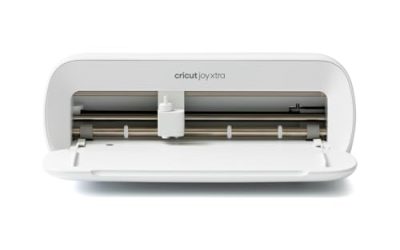
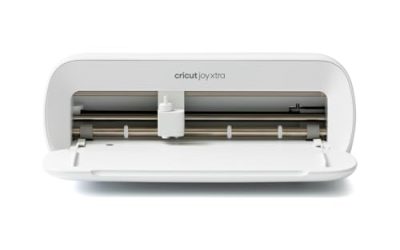
The Joy Xtra earns its place in a wedding plan as the small-jobs specialist. Positioned for cards, stickers and labels, it fits the pieces that come late and in awkward quantities: place cards after the final RSVP count, favour tags, envelope seals, table labels. Its compact size means it can live on a kitchen counter during the busy final month instead of being set up and packed away. Couples who pair it with a larger machine for invitations often find the division of labour perfect, but even alone it covers the card-and-label layer of a modest celebration gracefully.
Specs
- Compact smart cutting machine
- Positioned for cards, stickers and labels per its bundle listings
Best for: Place cards, favour tags, seals and labels in small, frequent runs.
Watch out for: Its format suits smaller pieces; check invitation dimensions against its cutting size before planning the whole suite around it.
Cricut Maker

The original Maker is the craftsman of this list, and weddings reward exactly its strengths. The Adaptive Tool System and ten times cutting force give it command over heavy cardstock and layered, folded constructions, and its range of more than three hundred materials covers everything from delicate invitation stock to sturdy signage blanks. Bluetooth keeps the setup uncluttered. Where the wedding plan leans on scored, folded and dimensional pieces — boxed favours, tented cards, layered invitations — the tool control matters more than the matless speed it lacks. For a maker-minded couple, it is the deliberate, capable choice.
Specs
- 10x cutting force
- Cuts 300+ materials
- Adaptive Tool System
- Bluetooth connectivity
- Champagne finish
Best for: Folded, scored and dimensional stationery in heavier materials.
Watch out for: No matless cutting, and scoring tools may be separate purchases; confirm tool compatibility on the listing.
Cricut Joy Bundle

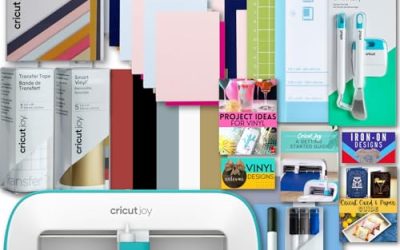
This bundle is the low-pressure way to test whether DIY wedding crafting suits you at all. The box includes a card kit, a sampler roll of Smart Vinyl, cutting mats and a tool set, so a first afternoon can produce real sample place cards and favour tags rather than a shopping list. Its compact size suits couples in small spaces making simple, elegant pieces: vinyl names on tags, cut card shapes, small signage decals. Treat it honestly as the simple-projects machine — couples who fall in love with the process and expand the suite will likely hand its jobs to a bigger model later.
Specs
- Card kit included
- Sampler Smart Vinyl roll included
- Cutting mats included
- Tool set included
- Compact machine made for cards and decals per listing
Best for: Small weddings and couples testing DIY with simple cards and tags.
Watch out for: The small format limits invitation sizes; confirm your card dimensions fit before designing the suite around it.
Which One Fits Your Situation
You are making the complete suite yourselves
Choose the Explore 3 bundle for a typical guest count, or the Maker 3 if the list includes thick materials and long runs. Either covers invitations through signage in one workflow, which keeps your design suite consistent because every piece comes from the same saved files and settings. Start with a prototype suite months ahead, lock the materials, and schedule production in stages: invitations first, decor next, and the guest-dependent pieces last, when names and table plans are final.
Your wedding is small and the style is simple
Choose the Joy Bundle or the Joy Xtra and keep the project list short: place cards, favour tags, a few vinyl signs, simple invitations in standard sizes. Small machines shine when the design is minimal and the quantities are modest, and the money saved can move to better cardstock and ribbon, which guests notice more than specifications. The Joy Xtra suits repeated card and label work; the Joy Bundle suits couples who want tools and starter materials included immediately.
You love folded, layered and dimensional pieces
Choose the original Maker. Its Adaptive Tool System and strong cutting force are built for the scored boxes, tented cards and layered invitation assemblies that define this style, and its material range handles heavy stock without complaint. Verify the scoring tools for your specific projects on the listing and practise each fold construction early, because dimensional pieces take longer per unit than flat cards. Build generous time into the calendar; these are the projects that reward patience and punish rushing.
Two households are sharing the work
Split the suite by machine strength, not item type. Put invitations and signage on the Maker 3 or Explore 3, where speed and material range live, and give place cards, seals and favour tags to the Joy Xtra, which sits in the other kitchen for last-minute changes. Agree on shared files, exact sizes and one cardstock source so pieces match when they meet. A shared settings note per material prevents subtle differences when two homes cut the same design.
Common Mistakes
- Starting production before cutting a complete prototype suite and checking every piece together.
- Choosing fonts with strokes too thin for place-card size, then discovering the tearing problem at full quantity.
- Leaving place cards and seating pieces until the final week, when guest-list changes make the workload unpredictable.
- Assuming scoring tools are included, and finding mid-project that folded pieces need a separate purchase.
- Buying all materials before a test cut confirms the machine handles that exact cardstock cleanly.
Frequently Asked Questions
How far ahead should we start wedding cutting projects?
Begin test cuts three to six months before the wedding, as soon as your design direction is set. Prototyping early reveals which fonts, papers and constructions actually work, while there is still time to change them calmly. Invitations should be produced well ahead of mailing deadlines, and only guest-dependent pieces, like place cards, should wait for the final weeks when the list is confirmed.
Can one machine really make invitations and signage?
Yes, provided its material range covers both cardstock and the vinyl used for sign boards or mirrors. Machines in this guide cut from over one hundred to over three hundred materials, which spans a typical suite. Check the largest piece you plan, such as a welcome sign decal, against the machine’s cutting format, and remember that big designs can be tiled from several cuts joined on the board.
What should we test before buying materials in bulk?
Cut your exact motif at its smallest planned size, score and fold a complete invitation or favour box, and weed your chosen script font from vinyl. These three tests expose nearly every problem a wedding suite can hit: tearing, weak folds and unreadable detail. Only when all three pass on a sample pack should you order cardstock and vinyl in full quantity for the guest count.
Is a small machine enough for a wedding?
For a small celebration with a short project list, yes. Compact machines handle place cards, favour tags, seals and simple cards well, and those pieces carry much of a wedding’s handmade feel. The limits appear with large invitations, long identical runs and thick materials. Be realistic about your list: if it grows beyond cards and labels, a mid-size or Maker-class machine will save more stress than it costs.
Related guides
More from Amazon
Programs that pair well with the guide above. Offers and eligibility are set by Amazon and may change.
Set up recurring deliveries of everyday items on eligible products. Terms and savings are set by Amazon.
Explore Subscribe & SaveFree shipping on eligible items, Prime Video and more. Eligible new members can start with a free trial.
Start a Prime free trialAudiobooks and podcasts to listen to on the go. Eligible new members can start with a free trial.
Try Audible freeRead from a large library of eBooks and audiobooks on any device. Check Amazon for current plans.
Explore Kindle UnlimitedAs an Amazon Associate we earn from qualifying purchases.

Write Your Review
No reviews yet. Be the first to share your experience!