
Key takeaways
- Deciding which Cricut to buy? Compare five machines by your first projects, total setup and generation, with specs and ASINs from the Amazon listings.
What's inside
As an Amazon Associate I earn from qualifying purchases. This post may contain affiliate links at no extra cost to you.
The real decision when buying a Cricut is not which machine is newest; it is what your first five projects actually are. A machine bought for cardstock cards and vinyl decals lives a very different life from one bought for fabric, balsa wood or leather. Cutting force, material range and matless cutting only matter when your project list demands them. Buyers who start from a project list usually buy once, while buyers who start from a spec sheet often pay for capability they never open.
This guide is for first-time buyers choosing their only machine, crafters upgrading from a smaller cutter, and gift buyers who want the recipient to start making things the same week. Each pick below was chosen from its Amazon product title and listing details, comparing material range, cutting force, speed claims and included extras, so the differences you read here are the ones printed on the box rather than marketing promises.
Quick Picks
As an Amazon Associate we earn from qualifying purchases.
| Product | Best for | Key spec from title |
|---|---|---|
| Cricut Maker 3 | Buyers who want one machine for fabric, wood and future projects | Cuts 300+ materials with 10x cutting force |
| Cricut Explore 3 Bundle (Blue) | First-time buyers who want extras already in the box | Cuts 100+ materials, 30-image library included |
| Cricut Maker (Champagne) | Makers who want Maker-level power from the previous generation | Adaptive Tool System, cuts 300+ materials |
| Cricut Explore Air 2 (Blue) | Paper and vinyl crafters happy on the earlier Explore line | Earlier-generation Explore machine with Bluetooth |
| Cricut Joy Xtra | Small-space crafters making cards, labels and decals | Compact smart cutting machine |
How to Choose
Start From Your First Five Projects
Write down the first five things you genuinely plan to make, then buy for that list instead of for an imagined future studio. Cards, stickers and iron-on shirts sit comfortably inside the Explore family’s 100-plus material range, so paying for Maker-level force buys you nothing on those projects. The moment your list includes fabric pieces, thicker materials or wood, the Maker line’s 10x cutting force and 300-plus material range stop being extras and become the requirement. A project list also exposes false economies: a cheaper machine that cannot cut your third project is the expensive option.
Count the Whole Setup, Not Just the Machine
The machine is only the first line of the purchase. Before ordering, list what else the first month needs: cutting mats for materials that are not matless Smart Materials, basic tools for weeding and transferring, and a starter stock of vinyl, iron-on and cardstock in the colours your projects use. Check whether the listing is a bare machine or a bundle, because a bundle that includes extras can close part of that gap on day one. Also treat a Design Space subscription as an open question to check on the listing, not an assumption either way.
Current Generation or Previous Generation
Newer generations mainly buy you speed and convenience rather than entirely new crafts. The Maker 3 and Explore 3 both claim cutting up to two times faster than earlier models, and the Maker 3 adds matless cutting with Smart Materials, which removes the mat-loading step on compatible stock. The original Maker and the Explore Air 2 give up that speed but keep the core capability of their families: the same 300-plus material range on the Maker, the same everyday paper and vinyl work on the Explore. If your projects are occasional, the older generation’s slower pace may never bother you.
Check the Listing Before You Order
Cricut names overlap enough that the wrong box is easy to order. Confirm the exact model name and generation in the title, because Maker, Maker 3, Explore Air 2 and Explore 3 are four different machines. Then read what the box actually includes: some listings are bundles with extras, others are the machine alone, and the included accessories change what you still need to buy. Check the colour in the title too, since several models ship in specific finishes. Finally, confirm the connection type and material claims printed in the title match the projects on your list.
The 5 Best Options
Cricut Maker 3

The Maker 3 is the buy-once answer for crafters whose project list already reaches past paper and vinyl. Its listing claims 10x cutting force and a range of more than 300 materials, which is the combination that opens up fabric, thicker stock and future projects you have not planned yet. Cutting up to two times faster and working matless with Smart Materials also remove the two frictions that slow beginners down: long cuts and constant mat loading. If you expect your hobby to grow, this is the machine that grows with it instead of being replaced by it.
Specs
- Cuts 300+ materials
- 10x cutting force
- Up to 2x faster cutting
- Matless cutting with Smart Materials
- Bluetooth connectivity
Best for: Buyers who want a single machine that covers fabric, wood-look projects and years of expanding ideas.
Watch out for: Confirm which accessories and materials are in the box, since the machine alone still leaves mats and tools to add.
ASIN: B0942SQ5BD
Cricut Explore 3 Bundle (Blue)

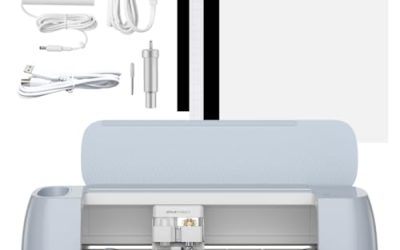
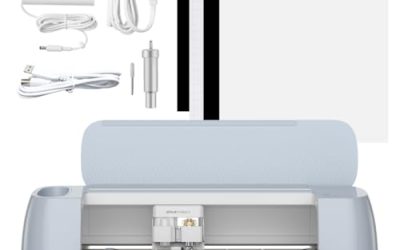
For a first machine, the Explore 3 Bundle takes the guesswork out of the first week. The Explore 3 cuts more than 100 materials at up to two times the speed of earlier models, which covers the cardstock, vinyl and iron-on projects most beginners actually start with. What sets this listing apart is the bundle format plus a 30-image library included, so a new owner can open the box and complete a real project before shopping for extras. It suits buyers who value a ready start over the Maker line’s extra force.
Specs
- Cuts 100+ materials
- Up to 2x faster cutting
- Bundle edition in Blue
- 30-image library included
Best for: First-time buyers who want the machine and starter extras arriving in one box.
Watch out for: Read the bundle contents line by line, because bundle inclusions vary and decide what you still need.
ASIN: B0BJHH35DH
Cricut Maker (Champagne)

The original Maker is the previous-generation route into the Maker family’s full capability. It keeps the claims that define the line, 10x cutting force and more than 300 materials, and adds the Adaptive Tool System, which is the Maker feature set aimed at handling a wider tool range. What you give up against the Maker 3 is the newer model’s speed claim and matless Smart Materials cutting. For a maker who cuts fabric and thicker materials but works at a hobby pace, that trade can make sense: the project range stays wide while the generation steps back.
Specs
- Cuts 300+ materials
- 10x cutting force
- Adaptive Tool System
- Bluetooth connectivity
- Champagne finish
Best for: Makers who want the full Maker material range without moving to the newest generation.
Watch out for: It predates matless Smart Materials cutting, so plan on mats for your regular materials.
ASIN: B072VYPWM4
Cricut Explore Air 2 (Blue)
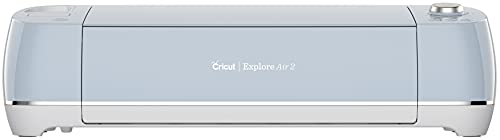
The Explore Air 2 is the earlier-generation Explore, and it still fits the most common home crafting list: cards, decals, labels, party decorations and iron-on designs on everyday materials. Bluetooth connectivity keeps setup simple, with the machine out of the way until a project calls for it. What it does not claim is the newer Explore 3’s faster cutting, so longer or repeated cuts take more patience. Choose it when your projects are firmly in paper and vinyl territory and you would rather put the rest of your budget into materials and tools.
Specs
- Earlier-generation Explore model
- Bluetooth connectivity
- Blue finish
Best for: Paper and vinyl crafters whose project list does not need Maker-level force or the newest speed.
Watch out for: Compare the title carefully against the Explore 3 so an older-generation machine is a deliberate choice, not a mix-up.
ASIN: B07WGB21KR
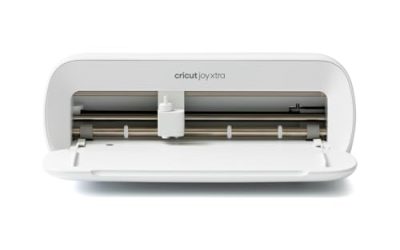
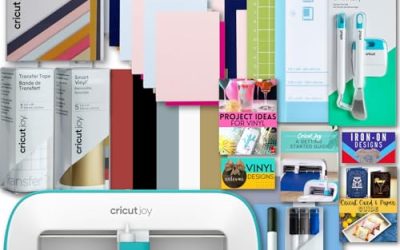
Cricut Joy Xtra

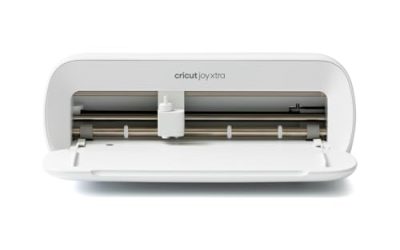
The Joy Xtra is the compact option in this line-up, a smart cutting machine sized for crafters whose workspace is a kitchen table or a single shelf. Its natural territory is the small, frequent project: greeting cards, labels, decals and quick personalisation jobs that do not justify setting up a full-size machine. That compact footprint is also its boundary, because a machine this size is built around smaller projects rather than wide materials or garment-scale work. Buy it when small and often describes your crafting better than large and occasionally.
Specs
- Compact smart cutting machine
Best for: Small-space crafters making cards, labels and decals on a regular basis.
Watch out for: Check the cutting width and compatible materials on the listing against your project sizes before ordering.
ASIN: B0CF6L9SMJ
Which One Fits Your Situation
You Are Buying Your First and Only Machine
If this purchase has to last, decide by growth room. The Maker 3 is the safest single buy because its 300-plus material range and 10x force leave doors open that the Explore family closes. If your honest project list is cards, vinyl and shirts, the Explore 3 Bundle is the better first buy, since its included extras and image library get you making things sooner. Either way, choose once, on purpose, rather than buying small and replacing within a year.
You Craft in a Small Space
Storage decides this one before specs do. The Joy Xtra is built for a shelf or a corner of a desk and handles the cards, labels and decals that small-space crafters make most. If your projects occasionally outgrow it, the Explore Air 2 is the step up that still stores reasonably. Measure your actual workspace, including room to feed material through, before ordering anything larger.
You Cut Fabric or Thicker Materials
Your shortlist starts and ends with the Maker family. Both the Maker 3 and the original Maker claim 10x cutting force and more than 300 materials, which is the territory fabric and thicker stock live in. Pick the Maker 3 for speed and matless Smart Materials cutting, or the original Maker if the Adaptive Tool System and the wider project range matter more than pace. Do not try to stretch an Explore into this work.
You Are Buying a Gift
A gift machine should produce a finished project on the first day, not a shopping list. The Explore 3 Bundle is the strongest gift pick here because the bundle format and included 30-image library shorten the distance between unwrapping and making. For a recipient who already sews or works with fabric, the Maker 3 is the more thoughtful choice. Check the listing’s included accessories either way, so you can add any missing basics to the gift.
Common Mistakes
- Buying by spec sheet instead of by project list, and paying for cutting force or material range that no planned project uses.
- Comparing machine prices alone and forgetting mats, tools and starter materials, which every setup needs in some form.
- Ordering the wrong generation because Maker, Maker 3, Explore Air 2 and Explore 3 names look nearly identical in search results.
- Assuming a listing is a bundle, or assuming the opposite, without reading the included accessories on that specific listing.
- Choosing the compact machine for garment-scale or wide-format projects that its size was never built to handle.
Frequently Asked Questions
Which Cricut should a complete beginner buy?
Start from your first projects. If they are cards, vinyl decals and iron-on shirts, the Explore 3 Bundle is a friendly first machine, with more than 100 materials and starter extras in the box. If fabric or thicker materials are already on your list, skip straight to the Maker 3 so you only buy once.
Is the Maker 3 worth it over the original Maker?
Both claim 10x cutting force and more than 300 materials, so the project range is similar. The Maker 3 adds cutting up to two times faster and matless cutting with Smart Materials. If you cut often or in batches, that convenience adds up. If you cut occasionally, the original Maker covers the same crafts at a slower pace.
What else do I need to buy with a Cricut?
Plan for the supporting kit: cutting mats for materials that are not matless Smart Materials, basic weeding and transfer tools, and starter stock of the vinyl, iron-on or cardstock your projects use. Bundles cover part of this, so read the included accessories on the listing. Also check whether you want a Design Space subscription before assuming either way.
Can a Cricut Joy Xtra replace a full-size machine?
For cards, labels, decals and other small projects, it can be the only machine a crafter needs, and its compact size suits small workspaces. It is not a substitute when projects need wider materials, garment-scale cuts or the Maker family’s cutting force. Match the machine to the largest project you make regularly, not the smallest.
Related guides
More from Amazon
Programs that pair well with the guide above. Offers and eligibility are set by Amazon and may change.
Set up recurring deliveries of everyday items on eligible products. Terms and savings are set by Amazon.
Explore Subscribe & SaveFree shipping on eligible items, Prime Video and more. Eligible new members can start with a free trial.
Start a Prime free trialAudiobooks and podcasts to listen to on the go. Eligible new members can start with a free trial.
Try Audible freeRead from a large library of eBooks and audiobooks on any device. Check Amazon for current plans.
Explore Kindle UnlimitedAs an Amazon Associate we earn from qualifying purchases.

Write Your Review
No reviews yet. Be the first to share your experience!