
Key takeaways
- Selling shirts, decals, and cards? Compare five Cricut machines for small business use, weighing cutting speed, matless runs, and material range.
What's inside
As an Amazon Associate I earn from qualifying purchases. This post may contain affiliate links at no extra cost to you.
When a Cricut earns money, the buying decision changes completely. Hobby questions about fun features give way to production questions: how fast can the machine finish a batch of orders, can it run long cuts without a mat slowing you down, and does its material range let you add new products without buying a second cutter? Downtime and wasted blanks cost real income, so reliability across a working week matters more than any single impressive specification.
This guide is for Etsy sellers, market stall holders, and home-based makers selling shirts, decals, cards, and gifts. Each pick was chosen from its Amazon product title and listed specifications, judged on throughput, material range, and how sensibly it fits a small product line rather than a hobby shelf.
Quick Picks
As an Amazon Associate we earn from qualifying purchases.
| Product | Best for | Key spec from title |
|---|---|---|
| Cricut Maker 3 | High-volume sellers wanting matless runs | Matless Smart Materials, 2x faster |
| Cricut Maker (Champagne) | Widest material range on a budget of space | 10x cutting force, cuts 300+ materials |
| Cricut Explore 3 Bundle (Blue) | New shops starting with vinyl products | Cuts 100+ materials, 2x faster |
| Cricut Joy Xtra | A compact second machine for small items | Compact smart cutting machine |
| Cricut Explore Air 2 (Blue) | A low-commitment backup cutter | Earlier-generation Explore, Bluetooth |
How to Choose
Speed and Matless Cutting Drive Your Throughput
In a business, cutting time is order time. A machine that works twice as fast turns a batch of twenty decals from an evening into an hour, and matless cutting with Smart Materials removes the loading and unloading rhythm that slows long runs. Think about your typical order: repeated small designs benefit from quick mat changes, while long banners and bulk lettering benefit from continuous matless feeding. Match the machine to the shape of your orders, because the fastest cutter on paper is only fastest on the jobs you actually run.
Material Range Decides Your Product Range
Every material a machine cannot cut is a product you cannot sell. A cutter limited to vinyl and paper supports decals, shirts, and cards well, while a machine with ten times the cutting force and a catalogue of over three hundred materials opens thicker, more varied stock for premium products. List the products you plan to sell this year, then check each machine’s material claims against that list. Buying for the range you need now, with one eye on next season’s ideas, avoids both overspending and outgrowing your cutter.
Tools and Blades Are an Ongoing Ecosystem
A business machine is not a one-time purchase; it is the centre of a small ecosystem of blades, tools, mats, and materials that you will reorder as orders come in. The Maker line’s Adaptive Tool System exists to swap tools for different jobs, which matters when one day means vinyl lettering and the next means scored cardstock. Before committing, look at which tools and replacement blades each platform uses and whether they suit your product mix. A slightly better machine with the wrong tool ecosystem will frustrate you weekly.
Plan for a Second Machine and Consumable Costs
Successful shops rarely stay single-machine for long, because a second cutter provides backup during breakdowns and parallel capacity during seasonal rushes. Plan for that from the start: a compact or earlier-generation model can serve as the overflow machine while your main cutter handles production. Also treat mats, blades, and materials as running business costs rather than surprises, and track how many finished pieces each set of consumables produces. That habit tells you your true cost per item, which is the number your pricing should be built on.
The 5 Best Options
Cricut Maker 3

The Maker 3 is the natural flagship for a small cutting business. It works at twice the speed of earlier machines, cuts over three hundred materials with ten times the cutting force, and runs matless with Smart Materials, which is the combination that keeps order batches moving without constant mat handling. For a shop selling shirts one day and thicker, varied products the next, that breadth protects you from turning work away. Bluetooth connectivity keeps it flexible in a small workspace where the computer may not sit beside the cutter.
Specs
- 2x faster cutting
- 10x cutting force
- Matless cutting with Smart Materials
- Cuts 300+ materials
- Bluetooth connectivity
Best for: Established sellers who need speed, matless long runs, and the widest material range in one machine.
Watch out for: Matless runs depend on Smart Materials, so confirm your key products are available in that format on the listing.
ASIN: B0942SQ5BD
Cricut Maker (Champagne)

The original Maker remains a serious business tool because its core strengths are the ones shops use daily: ten times the cutting force, a range of over three hundred materials, and the Adaptive Tool System for swapping tools between jobs. For a seller whose products lean on thicker or more demanding stock, that tool system is a genuine production advantage, letting one machine cover work that would otherwise need separate equipment. It is a sensible flagship for a smaller shop that values material versatility over the newest generation’s speed and matless feeding.
Specs
- 10x cutting force
- Cuts 300+ materials
- Adaptive Tool System
- Bluetooth connectivity
- Champagne finish
Best for: Product-focused sellers who need thick-material capability and tool flexibility more than matless speed.
Watch out for: Without matless cutting, long runs mean repeated mat loading, so factor that handling time into batch planning.
ASIN: B072VYPWM4
Cricut Explore 3 Bundle (Blue)

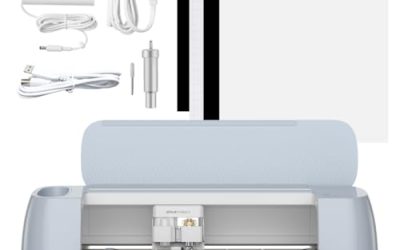
For a new shop built on vinyl decals, shirts, and cards, the Explore 3 Bundle is the efficient starting point. It cuts over one hundred materials at twice the speed of earlier models, which covers the classic small-business product set comfortably, and the bundle format means starter supplies and a thirty-image library arrive with the machine. That lets a new seller test products and take first orders quickly, then reinvest earnings into materials. It is the pragmatic choice when your product list is vinyl-led and your budget must also cover blanks and stock.
Specs
- Cuts 100+ materials
- 2x faster cutting
- 30-image library included
- Bundle edition in Blue
Best for: New sellers launching vinyl-based products who want speed and starter supplies in one purchase.
Watch out for: Verify the bundle’s included items against your first product plans, since bundle contents vary and your must-have tools may differ.
ASIN: B0BJHH35DH
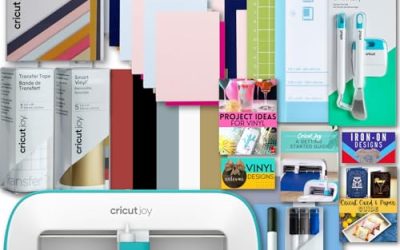
Cricut Joy Xtra

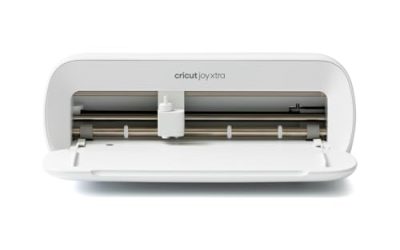
The Joy Xtra earns its place in a business not as a main production machine but as a compact specialist. It is a small smart cutting machine that can live beside a packing station for the little jobs that interrupt a production run: a name added to an order, a small logo decal, a gift label, or a sample for a new design. Keeping those tasks off your flagship machine protects your batch rhythm. It also travels easily to markets and fairs, where personalising items on the spot can turn browsers into buyers.
Specs
- Compact smart cutting machine
Best for: Shops wanting a compact second machine for personalisation, samples, and market-day add-ons.
Watch out for: Its compact cutting width cannot handle main production work, so treat it strictly as a supporting machine.
ASIN: B0CF6L9SMJ
Cricut Explore Air 2 (Blue)
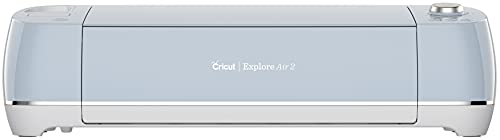
The Explore Air 2 is the earlier-generation Explore, and in a business context its role is the affordable backup. Every shop eventually faces a deadline with a machine mid-maintenance or a rush order arriving while the main cutter is busy; a proven second full-size machine with Bluetooth connectivity solves that problem without flagship money. It handles the vinyl and iron-on work that makes up most small-shop orders, freeing your primary machine for demanding jobs. As a first machine for a very small start-up, it also keeps initial spending low while you validate demand.
Specs
- Earlier-generation Explore model
- Bluetooth connectivity
- Blue finish
Best for: Shops needing a dependable backup cutter, or start-ups validating demand before investing in a flagship.
Watch out for: It lacks the speed and matless options of newer models, so it suits overflow and backup duty better than high-volume production.
ASIN: B07WGB21KR
Which One Fits Your Situation
You Sell Shirts and Decals in Weekly Batches
Throughput is your bottleneck, so the Maker 3 is the anchor machine: faster cutting and matless runs keep batches flowing, and its material range covers both product lines. Pair it later with an Explore Air 2 as overflow capacity for rush weeks, and your shop can absorb a busy season without turning orders away or working through the night.
Your Products Use Thicker and Varied Materials
If your range includes demanding stock beyond vinyl, start with the original Maker. Its cutting force and Adaptive Tool System are built for switching between materials and tools across a varied catalogue. You give up matless feeding, but you gain the versatility your product list actually requires, which is the trade that matters for your shop.
You Are Launching a Shop on a Tight Budget
Start with the Explore 3 Bundle if vinyl products lead your range, since the speed helps immediately and the included supplies shorten the path to your first sale. If even that stretches the budget, the Explore Air 2 keeps the door open at a lower commitment while you learn which products customers actually buy.
You Sell at Markets and Personalise on the Spot
Add the Joy Xtra as your travelling companion machine. Its compact size suits a market stall table, and quick personalisation jobs, names, dates, and small decals, are exactly its strength. Your main production machine stays home set up for batch work, while the Xtra handles the small, immediate jobs that make market customers feel the product was made for them.
Common Mistakes
- Buying a flagship machine before validating which products actually sell.
- Ignoring consumable costs, then discovering mats and blades eat the margin on small orders.
- Running a growing shop on one machine with no backup during the busiest season.
- Choosing a machine whose material range excludes a product you planned to launch.
- Forgetting that matless cutting requires compatible Smart Materials rather than any stock on hand.
Frequently Asked Questions
Which Cricut is best for a one-person shop?
For most one-person shops, the Maker 3 offers the strongest balance: fast cutting, matless runs for batches, and a material range wide enough to grow your product list. If your products are vinyl-only and your budget is tight, the Explore 3 Bundle delivers the essential speed for less commitment.
Can I run a business on an earlier-generation machine?
Yes, especially at the start. The Explore Air 2 handles the vinyl and iron-on work behind most small-shop products. The limits appear as order volume grows, when slower cutting and mat loading stretch your working day. Many shops begin this way, then promote the older machine to backup duty after upgrading.
Do I really need a second machine?
Not on day one, but plan for one. A second cutter covers breakdowns, parallel batches, and seasonal rushes, and a compact or earlier-generation model fills that role without flagship spending. Shops that sell at markets also benefit from a small machine dedicated to travel and on-the-spot personalisation.
How should I think about material and blade costs?
Treat them as cost per finished item, not as occasional shopping. Track how many sellable pieces a mat, blade, or roll of material produces, and build that figure into your pricing from the beginning. Sellers who skip this step often discover their busiest products are their least profitable ones.
Related guides
More from Amazon
Programs that pair well with the guide above. Offers and eligibility are set by Amazon and may change.
Set up recurring deliveries of everyday items on eligible products. Terms and savings are set by Amazon.
Explore Subscribe & SaveFree shipping on eligible items, Prime Video and more. Eligible new members can start with a free trial.
Start a Prime free trialAudiobooks and podcasts to listen to on the go. Eligible new members can start with a free trial.
Try Audible freeRead from a large library of eBooks and audiobooks on any device. Check Amazon for current plans.
Explore Kindle UnlimitedAs an Amazon Associate we earn from qualifying purchases.

Write Your Review
No reviews yet. Be the first to share your experience!