
Key takeaways
- Compare Cricut machines for making t-shirts by matless iron-on cuts, cutting width, speed, and batch workflow, from compact models to the Maker 3.
What's inside
As an Amazon Associate I earn from qualifying purchases. This post may contain affiliate links at no extra cost to you.
Making shirts with a cutting machine is a workflow decision disguised as a hardware one. The design has to be mirrored before it is cut, the iron-on has to be weeded without tearing fine lines, and the cut piece still needs a heat press to become a finished shirt. So the real question is which machine fits the length of your designs, the volume of shirts you repeat, and the width of material your chest graphics demand.
This guide is for parents printing family sets, team organisers repeating one design across many sizes, and small sellers building a shirt workflow from scratch. Every pick is drawn from the names and specifications on the Amazon product pages, and judged on cutting and workflow fit rather than on pressing, which is a separate step with separate equipment.
Quick Picks
As an Amazon Associate we earn from qualifying purchases
| Product | Best for | Key spec from title |
|---|---|---|
| Cricut Maker 3 | Matless long cuts and the widest material range | Matless cutting with Smart Materials, cuts 300+ materials |
| Cricut Explore 3 Bundle (Blue) | Fast shirt batches with starter designs included | Cuts 100+ materials, 2x faster, 30-image library included |
| Cricut Maker (Champagne) | Heavy cutting force with the Adaptive Tool System | 10x cutting force, cuts 300+ materials |
| Cricut Explore Air 2 (Blue) | A proven earlier-generation shirt machine | Earlier-generation Explore with Bluetooth |
| Cricut Joy Xtra | Single shirts and small chest designs | Compact smart cutting machine |
How to Choose
Matless cutting changes long iron-on jobs
Iron-on designs for adult shirts are wide, and cutting them on a mat means loading, aligning, and unloading for every single piece. Machines that cut Smart Materials without a mat let a long roll feed straight through, which suits repeated chest logos and full-width text lines. When you compare models, be clear about which of your materials are Smart Materials and which still need a mat, because a mixed stockroom means a mixed workflow. For one-off shirts the difference is minor; across a team order it is the difference between an evening and a weekend.
Plan the heat press as part of the purchase
A cutting machine only produces the iron-on design; it does not attach it to the shirt. Every name, number, and logo still has to be pressed with a heat press or a suitable household alternative, following the time and temperature guidance for your specific iron-on material. Budget and plan for that second device from the start, along with a pressing surface and a way to position designs consistently. Buyers who skip this step end up with a drawer of perfectly cut, perfectly unusable transfers waiting for equipment they have not chosen yet.
Mirroring and weeding decide your error rate
Shirt designs are cut in mirror image, because the iron-on is flipped onto the fabric before pressing. Forgetting to mirror text is the most common ruined shirt in this hobby, and it happens at the software step, long before the machine does anything wrong. Weeding, lifting away the unwanted iron-on around letters and inside counters, is the other skill step: fine scripts and detailed logos weed slowly and punish rushed hands. Choose design sizes and fonts your patience can weed, and let the machine decision follow the designs you actually plan to sell or wear.
Match the machine to your repeat volume
A single birthday shirt, a family set of six, and a team order of thirty are three different purchases wearing the same clothes. Low volume rewards compact machines and low setup effort. Repeat batches reward cutting speed, matless feeding, and a material range that covers every iron-on type you stock, because reloading and re-measuring dominate your time once the design file is finished. Be honest about which pattern matches your next year of projects, since upgrading later means learning a second machine while the first sits half-used in a cupboard.
The 5 Best Options
Cricut Maker 3

For shirt production, the Maker 3 is built around the two things batch work consumes: time and material variety. Matless cutting with Smart Materials lets long iron-on runs feed continuously instead of mat by mat, its cutting speed is doubled over earlier generations, and a range past three hundred materials covers the iron-on family and well beyond it into other product lines. Ten times the cutting force adds headroom for thicker specialty films. If shirts are a business or a weekly habit rather than an experiment, this is the machine the workflow grows into, not out of.
Specs
- 2x faster cutting
- 10x cutting force
- Matless cutting with Smart Materials
- Cuts 300+ materials
- Bluetooth
Best for: Sellers and team organisers cutting repeated designs in long, matless runs.
Watch out for: The heat press is a separate purchase; this machine only cuts the design.
ASIN: B0942SQ5BD
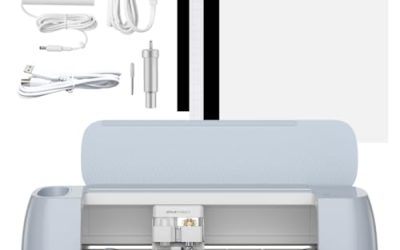
Cricut Explore 3 Bundle (Blue)

The Explore 3 bundle is the balanced starting point for shirt making as a regular hobby. Cutting speed is doubled over the previous generation, the material range passes one hundred options, which comfortably includes the common iron-on types, and the bundle includes a thirty-image Design Space library so your first shirts can start from ready lettering and shapes while you learn to build your own files. For family sets, school events, and small team runs where designs repeat a handful of times rather than hundreds, it covers the workflow without the Maker’s extra headroom you may never use.
Specs
- Cuts 100+ materials
- 2x faster cutting
- 30-image Design Space library included
- Bundle edition in blue
Best for: Hobbyists making family and small-team shirt sets on a regular basis.
Watch out for: Check the product page for the exact bundle contents, and remember a heat press is still needed to finish every shirt.
ASIN: B0BJHH35DH
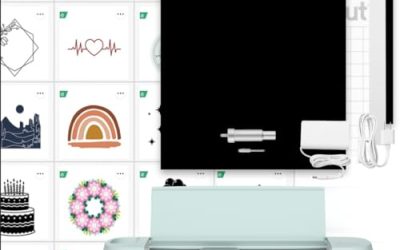
Cricut Maker (Champagne)

The original Maker remains relevant for shirts because its strengths, ten times the cutting force and a range past three hundred materials, are exactly the ones thick or textured iron-on films appreciate. Its Adaptive Tool System is the Maker family’s tool platform, which suits buyers who expect to expand beyond shirts into other materials later. For the cutting step itself, standard iron-on asks far less of a machine than this one offers, so the real reason to choose it is breadth: one machine that handles the shirt work now and heavier craft materials when your projects wander there next.
Specs
- 10x cutting force
- Cuts 300+ materials
- Adaptive Tool System
- Bluetooth
Best for: Makers who want Maker-level force and material range for shirts plus heavier crafts.
Watch out for: It is an earlier model than the Maker 3, so compare the two listings carefully, especially around matless Smart Materials cutting.
ASIN: B072VYPWM4
Cricut Explore Air 2 (Blue)
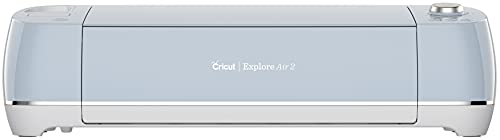
The Explore Air 2 is the earlier-generation route into shirt making, and its long time on the market is its own feature: mirrored-design tutorials, weeding tips, and size charts for this exact machine are everywhere. Bluetooth keeps the setup cable-free between computer and craft table. It handles the standard shirt workflow of cutting iron-on, weeding the excess, and handing off to a press, and for occasional batches that workflow matters more than the newest feed system. It suits buyers whose project list is shirts and paper crafts, at a pace where generation-to-generation speed gains are not the bottleneck.
Specs
- Earlier-generation Explore machine
- Bluetooth
Best for: Occasional shirt batches and buyers who value a widely documented machine.
Watch out for: Without the newer models’ speed and matless features in the pool, long production runs will lean on mats and take longer.
ASIN: B07WGB21KR
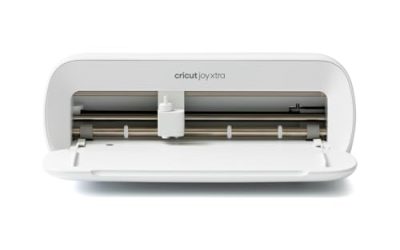
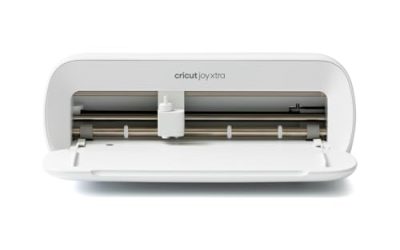
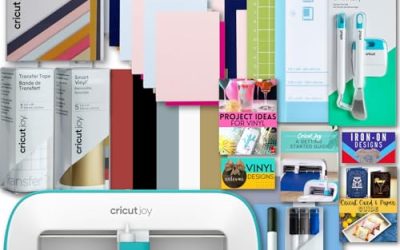
Cricut Joy Xtra

The Joy Xtra is the compact end of shirt making: single shirts, small chest logos, pocket designs, and names across the back of a child’s top. It sets up quickly, stores easily, and removes the ceremony from a one-shirt project, which is exactly the friction that stops small ideas from happening at all. What it does not pretend to be is a production tool. Adult full-width graphics and team orders will outgrow its format quickly, so read it as the machine for personalisation at ones-and-twos scale, where convenience beats capacity every time the project is small.
Specs
- Compact smart cutting machine
Best for: Single personalised shirts and small designs at ones-and-twos scale.
Watch out for: Only title-level information is available in the pool for this model, so verify design size limits and supported materials on the product page.
ASIN: B0CF6L9SMJ
Which One Fits Your Situation
You are printing a team or club order
Repeat volume is your whole problem, so choose between the Maker 3 and the Explore 3 Bundle. The Maker 3’s matless feeding and speed suit the largest runs, while the Explore 3 covers moderate orders comfortably. Either way, cut one sample shirt in the smallest size first, confirm the design scales cleanly, and only then run the full set, because an unnoticed mirroring or sizing error multiplies across every shirt in the box.
You want matching family shirts a few times a year
For holiday photos, reunions, and birthday sets, the Explore 3 Bundle hits the sweet spot of speed and simplicity, with starter designs included for your first sets. The Explore Air 2 also covers this pace if its listing suits you better. Volume is low enough that the press, the blanks, and consistent positioning will decide how professional the results look far more than the cutter will.
You are starting a small shirt business
Treat the machine as one station in a line that also includes a heat press, blank stock in repeat sizes, and a weeding setup you can sit at for an hour. The Maker 3 is the safest foundation because matless long cuts and the widest material range keep options open as orders diversify. Start with a narrow design catalogue, master repeatability on your best-selling sizes, and expand only when reorders prove which designs deserve the shelf space.
You only personalise the occasional single shirt
Singles and small designs belong to the Joy Xtra. A name on a gym shirt or a small logo on a pocket does not need a production machine, and the compact format means the project happens on a weeknight instead of becoming a weekend event. Just confirm your design fits its format on the product page, and keep expectations set: when singles turn into team orders, that is the moment to step up to an Explore or Maker.
Common Mistakes
- Forgetting to mirror the design before cutting, so the text reads backwards once pressed onto the shirt.
- Buying the cutting machine and no heat press, then discovering cut iron-on cannot be finished without one.
- Choosing a machine for adult full-width graphics and later finding the design does not fit the format.
- Weeding fine script too quickly and tearing letter strokes that cannot be repaired before pressing.
- Cutting a full team run before pressing one sample shirt to check size, placement, and mirroring.
Frequently Asked Questions
Do I need a heat press as well as a Cricut for shirts?
Yes. The Cricut only cuts the iron-on design; attaching it to the shirt is a separate pressing step that needs a heat press or a suitable alternative, used according to your iron-on material’s own time and temperature guidance. Plan and budget for both devices together, because a cutter on its own leaves you with finished designs and unfinished shirts.
Why does my shirt design need to be mirrored?
Iron-on is cut from the back of the material and then flipped onto the shirt for pressing, so the design must be reversed at the cutting stage to read correctly on the finished garment. This matters most for text, numbers, and anything asymmetric. Build the mirror step into your routine for every shirt file, and check the preview before cutting rather than after weeding.
Which of these machines is best for large batches?
The Maker 3 is the strongest batch choice here because matless cutting with Smart Materials removes the load-and-align cycle for long runs, and its doubled cutting speed compounds across dozens of repeats. The Explore 3 is the next step down for moderate batches. For either machine, your real throughput also depends on weeding and pressing, which stay manual no matter which cutter you own.
Can a compact machine like the Joy Xtra make shirts?
Yes, within its format. The Joy Xtra suits small chest designs, pocket logos, and single personalised shirts, and its compact size makes those quick projects easy to start. Full-width adult graphics and repeat team orders are where its limits show. Check the product page for the design sizes it supports, and match it to the shirts you genuinely plan to make rather than the largest you can imagine.
Related guides
More from Amazon
Programs that pair well with the guide above. Offers and eligibility are set by Amazon and may change.
Set up recurring deliveries of everyday items on eligible products. Terms and savings are set by Amazon.
Explore Subscribe & SaveFree shipping on eligible items, Prime Video and more. Eligible new members can start with a free trial.
Start a Prime free trialAudiobooks and podcasts to listen to on the go. Eligible new members can start with a free trial.
Try Audible freeRead from a large library of eBooks and audiobooks on any device. Check Amazon for current plans.
Explore Kindle UnlimitedAs an Amazon Associate we earn from qualifying purchases.

Write Your Review
No reviews yet. Be the first to share your experience!