
Key takeaways
- Compare Cricut machines for cake toppers by cardstock and glitter cutting, fine detail, scoring, and batch size, with compact and full-size picks.
What's inside
As an Amazon Associate I earn from qualifying purchases. This post may contain affiliate links at no extra cost to you.
A cake topper lives or dies on small, clean cuts. Thin cardstock stems, tiny letters in a name, and the edge of a glitter number all show every snag, so the real decision is not raw power but how precisely a machine handles light paper materials at small sizes, and whether it can score fold lines for layered or folded designs without tearing the sheet.
This guide is for home bakers dressing up family cakes, party sellers cutting toppers in batches, and crafters who want one machine that also handles cards and party decor. The picks below come from the names and specifications on the Amazon product pages, matched against the jobs cake toppers actually involve, from a single name pick to a full sheet of matching party pieces.
Quick Picks
As an Amazon Associate we earn from qualifying purchases
| Product | Best for | Key spec from title |
|---|---|---|
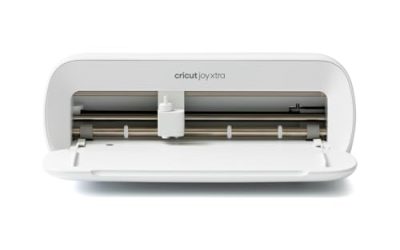
| Cricut Joy Xtra | Small toppers on a tight craft table | Compact smart cutting machine |
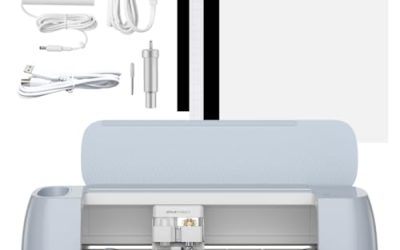
| Cricut Joy Bundle | First topper projects with supplies included | Card kit, sampler Smart Vinyl roll, mats and tool set included |
| Cricut Explore 3 Bundle (Blue) | Party batches across many paper types | Cuts 100+ materials, 2x faster |
| Cricut Maker 3 | Thick glitter card and the widest material range | Cuts 300+ materials, matless cutting with Smart Materials |
| Cricut Explore Air 2 (Blue) | A proven earlier-generation workhorse | Earlier-generation Explore with Bluetooth |
How to Choose
Fine detail and small lettering come first
Names, ages, and short phrases are the heart of most toppers, and they are usually cut small. Skinny letter strokes and narrow bridges between shapes are where a cut either releases cleanly or tears, especially in lightweight cardstock. Look for a machine whose material range clearly includes the paper stocks you plan to use, and plan a test cut of your smallest lettering before committing to a full sheet. If your designs lean toward chunky numbers and simple silhouettes, almost any model here copes; script fonts and layered monograms reward the stronger machines.
Cardstock and glitter card behave differently
Plain cardstock cuts easily but can fray if the design is intricate, while glitter card is thicker, sheds particles, and dulls the cutting experience faster because of its abrasive surface. A machine rated for a wide range of materials gives you headroom when a party theme calls for metallic, textured, or heavyweight sheets. Keep glitter work on its own mat so loose particles do not transfer onto pale cardstock for the next project, and expect to slow down your expectations for tiny detail as sheet thickness rises.
Scoring matters for folded and layered toppers
Many toppers are not flat. Folded rosettes, tent-style place cards that match the cake table, and layered designs with a folded backing tab all need a clean score line so the fold lands exactly where the design intends. When you compare machines, check how each one handles scoring within its tool system and whether the accessory you need is part of the machine family you are buying into. A crisp score keeps layers aligned and stops cardstock cracking along the fold, which is the difference between a handmade look and a homemade one.
Keep the machine away from the food itself
A cutting machine is a craft tool, not a kitchen tool, and it should never touch the cake or any surface the cake touches. The standard working method is simple: the machine cuts the cardstock design, and the finished topper is mounted on a food-safe stick or skewer that is the only part entering the cake. Keep mats, blades, and cut pieces on your craft table, away from frosting and fillings, and wash your hands between decorating the cake and handling finished toppers on their sticks.
The 5 Best Options
Cricut Joy Xtra

The Joy Xtra suits bakers whose topper work is occasional and small in scale: a name for a birthday cake, a number for an anniversary, a few stars around a theme. Its compact footprint means it can live on a shelf and come out only when a cake is planned, which matters in kitchens and craft corners where a full-size machine would crowd out everything else. For single cakes and short runs of simple shapes in cardstock, that convenience is the whole appeal, and it keeps the cost of entry into machine-cut toppers low in effort even before supplies.
Specs
- Compact smart cutting machine
Best for: Small, occasional toppers where counter space is the main limit.
Watch out for: The pool lists title-level information only for this model, so confirm the materials and sheet sizes you need on the product page before ordering.
ASIN: B0CF6L9SMJ
Cricut Joy Bundle

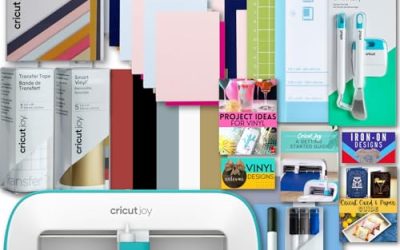
This bundle is aimed at a beginner who wants the first project to start the day the box arrives. Alongside the compact machine, the package includes a card kit, a sampler Smart Vinyl roll, cutting mats, and a tool set, so the basics for card-based work are already in hand. Cake toppers are mostly a cardstock job, and a bundle built around cards transfers neatly: practise on the included card kit, learn how designs load and cut, then move on to topper shapes on sticks for real cakes with some confidence behind you.
Specs
- Card kit included
- Sampler Smart Vinyl roll included
- Cutting mats included
- Tool set included
- Compact machine
Best for: First-time buyers who want supplies in the box for card and topper practice.
Watch out for: Bundled samplers are small; plan to restock cardstock in your chosen colours once the practice pieces run out.
ASIN: B0D2Y8RYCC
Cricut Explore 3 Bundle (Blue)

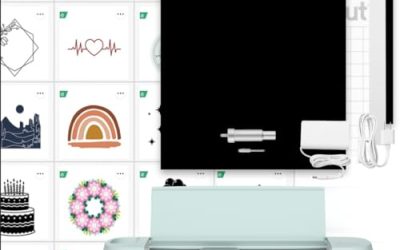
The Explore 3 bundle fits the party seller or the family member who has become the default decorator for every birthday in the group. A material range past one hundred options covers the cardstock family comfortably, from plain and textured sheets to glitter finishes, and the faster cutting speed starts to matter when a single party order means thirty matching toppers rather than three. The included thirty-image Design Space library gives you starter shapes and lettering styles to adapt while you build your own files, which shortens the path from unboxing to a finished set.
Specs
- Cuts 100+ materials
- 2x faster cutting
- 30-image Design Space library included
- Bundle edition in blue
Best for: Regular party work and batch cutting across varied paper stocks.
Watch out for: Confirm exactly which bundle contents are in the box on the product page, since bundle compositions can differ between listings.
ASIN: B0BJHH35DH
Cricut Maker 3

The Maker 3 is the pick when topper designs push into thick glitter card, layered constructions, and materials beyond paper altogether. Ten times the cutting force of lighter machines and a range past three hundred materials mean dense, textured sheets that would strain a compact model stay on the menu, and matless cutting with Smart Materials speeds up long batch runs when a wedding or a market stall needs dozens of identical pieces. If toppers are one product line among several you sell, this is the machine that keeps the other lines possible too.
Specs
- 2x faster cutting
- 10x cutting force
- Matless cutting with Smart Materials
- Cuts 300+ materials
- Bluetooth
Best for: Sellers and heavy users cutting thick glitter card and wide material ranges.
Watch out for: It is the largest commitment in this list in size and scope; make sure your workspace and project volume justify it.
ASIN: B0942SQ5BD
Cricut Explore Air 2 (Blue)
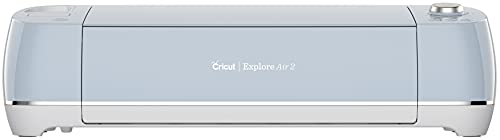
The Explore Air 2 is the earlier-generation option for buyers who want a full-size Explore-class machine and a well-documented accessory ecosystem. Bluetooth connectivity keeps it cable-free at the craft table, and its generation is old enough that project tutorials, replacement mats, and troubleshooting advice are easy to find for almost any topper problem you meet. For cardstock toppers it covers the core job: names, numbers, and shapes cut at party scale. It makes sense when the listing in front of you suits your budget planning better than the newer models do.
Specs
- Earlier-generation Explore machine
- Bluetooth
Best for: Buyers who want a proven full-size machine with a mature accessory range.
Watch out for: As an earlier generation, check the listing carefully for what is included and how it differs from the Explore 3 before choosing.
ASIN: B07WGB21KR
Which One Fits Your Situation
You bake a few celebration cakes a year
Occasional bakers should start with the Cricut Joy Xtra or the Cricut Joy Bundle. Your toppers are names, ages, and simple shapes, and the machine will spend most of its life stored away, so compact size and a short setup beat cutting force you will rarely use. Choose the bundle if you own no supplies yet, since the card kit and tools let you practise before the first real cake is depending on the result.
You take party orders most weekends
Regular orders change the maths: speed and material range decide how many sets you finish in an evening. The Cricut Explore 3 Bundle handles varied cardstock quickly enough for steady party work, while the Cricut Maker 3 earns its place when orders include thick glitter numbers or layered designs. Either way, standardise your topper sizes and keep spare mats ready, because batch work stops for consumables far more often than it stops for the machine itself.
Your designs use thick glitter and metallic card
Dense, textured sheets are the one topper job that genuinely separates these machines. The Maker 3, with its higher cutting force and three-hundred-plus material range, is the comfortable choice for glitter card at small sizes. Lighter machines can still manage simple glitter shapes, but intricate lettering in thick stock is where cuts start to drag and tear, so match the machine to the heaviest sheet you cut regularly, not the lightest.
You want toppers plus cards and party decor
If the machine will also cut invitations, banners, favour boxes, and table cards, buy for the whole workload rather than the cake alone. The Explore 3 Bundle and the Maker 3 both cover that spread, with the Maker adding the widest material headroom for future projects. The Joy models still work for small decor, but full-size invitations and long banner pieces quickly expose the limits of a compact format.
Common Mistakes
- Cutting lettering too small for the cardstock, so thin strokes tear when the design is lifted from the mat.
- Putting a cut topper straight onto a cake without a stick or barrier between the cardstock and the food.
- Using the same mat for glitter card and pale cardstock, then finding glitter particles pressed into the next project.
- Skipping a test cut when changing to a new paper stock, and losing a full sheet to the wrong setting.
- Forgetting that folded and layered toppers need a score line planned in the design, not folded freehand afterwards.
Frequently Asked Questions
Can a Cricut cut glitter cardstock for toppers?
Yes, glitter cardstock is a normal topper material, but it is thicker and more abrasive than plain cardstock, so simpler shapes cut more reliably than fine lettering. Machines with a wider material range and higher cutting force, such as the Maker 3 in this list, handle it more comfortably. Whichever machine you use, give glitter work its own mat and run a small test piece first.
Is it safe to put a Cricut-cut topper on a cake?
The topper itself should not rest directly on the cake. The usual method is to attach the cardstock design to a food-safe stick or skewer, and only that stick touches the cake. The cutting machine stays on the craft table and never contacts food, frosting, or serving surfaces, which keeps the decoration and the dessert properly separate.
Which Cricut is best for a complete beginner making toppers?
The Cricut Joy Bundle is the gentlest start because the box already contains a card kit, a sampler vinyl roll, mats, and tools, so your first sessions are about learning the workflow rather than shopping for basics. Its compact size also lowers the stakes: set it up, cut practice names and numbers, and decide later whether party orders justify a full-size machine.
How many toppers can I cut for a party order?
That depends on design size, sheet layout, and how intricate each piece is, rather than on a fixed machine limit. Batch work goes fastest on the faster models here, the Explore 3 and Maker 3, especially with matless Smart Materials on the Maker 3. Nest your shapes tightly on each sheet, keep spare cardstock in the party colours, and cut one full test sheet before starting the run.
Related guides
More from Amazon
Programs that pair well with the guide above. Offers and eligibility are set by Amazon and may change.
Set up recurring deliveries of everyday items on eligible products. Terms and savings are set by Amazon.
Explore Subscribe & SaveFree shipping on eligible items, Prime Video and more. Eligible new members can start with a free trial.
Start a Prime free trialAudiobooks and podcasts to listen to on the go. Eligible new members can start with a free trial.
Try Audible freeRead from a large library of eBooks and audiobooks on any device. Check Amazon for current plans.
Explore Kindle UnlimitedAs an Amazon Associate we earn from qualifying purchases.

Write Your Review
No reviews yet. Be the first to share your experience!