
Key takeaways
- Compare five Cricut machines for sticker sheets, from the compact Joy Xtra to the Maker 3, with sheet size, kiss-cut and mat checks to make before buying.
What's inside
As an Amazon Associate I earn from qualifying purchases. This post may contain affiliate links at no extra cost to you.
Stickers look like a simple project until you try to produce a full sheet of them: the real decision is whether the machine in front of you can handle complete sticker sheets cleanly, kiss-cut the top layer without slicing through the backing, and repeat that result sheet after sheet without the mat giving up. A machine that is wonderful for one-off decals can frustrate you quickly when the job becomes twenty identical sheets for a planner shop or a classroom.
This guide is for sticker makers at every scale: hobbyists printing a few sheets for journals, sellers producing repeat batches, and crafters who mix stickers with cards and labels. Every pick below was chosen from its Amazon product title and listing details, with the emphasis on sheet handling, cutting control, and what is actually included in the box.
Quick Picks
As an Amazon Associate we earn from qualifying purchases
| Product | Best for | Key spec from title |
|---|---|---|
| Cricut Joy Xtra | Full sticker sheets on a desk-friendly footprint | Compact smart cutting machine positioned for cards, stickers and labels |
| Cricut Explore 3 Bundle | Starting sticker production with a starter library | Cuts 100+ materials, 2x faster, 30-image library included |
| Cricut Maker 3 | High-volume sheets and mixed materials | Matless Smart Materials, cuts 300+ materials, 10x cutting force |
| Cricut Joy Bundle | First sheets with mats and tools already included | Card kit, sampler Smart Vinyl roll, cutting mats and tool set included |
| Cricut Maker | Serious force for thick sticker stock on a mat | 10x cutting force, Adaptive Tool System, Bluetooth |
How to Choose
Sheet size decides your layout freedom
A sticker sheet is only as flexible as the cutting width behind it. Compact machines built around card and label formats suit standard sticker sheets and let you tile designs efficiently, while wider machines accept larger sheets and let you nest more shapes per pass. Think about the sheet size you actually buy or print, then match the machine to it rather than the other way round. If your designs regularly outgrow a small sheet, stepping up in width saves more time than any speed claim, because every extra sheet means another load, align, and unload cycle.
Print-then-cut is a feature to verify, not assume
Most sticker sheets start in a home printer: you print the artwork, then the machine reads the registration marks and cuts around each shape. That print-then-cut workflow is exactly what you should confirm on the specific listing before ordering, because support and printable area vary by model and bundle. Check that the listing names the feature, note the maximum print area it allows, and confirm your printer can feed the sticker paper you plan to use. Skipping this check is how buyers end up with a machine that cuts vinyl beautifully but cannot register their printed sheets.
Kiss-cut versus through-cut control
A good sticker peels away while its backing sheet stays intact, and that result comes from a kiss cut: the blade passes through the sticker layer and kisses the liner without severing it. Through cuts, by contrast, separate individual shapes completely. You want a machine whose software lets you dial in light, precise pressure for kiss cuts and save that setting for repeat runs. Test on a corner of a sheet first, adjust in small steps, and write the winning setting on the paper pack, because sticker papers vary in thickness between brands.
Mats, blades and the cost of repeat work
Sheet work is repetitive, and repetition wears consumables. Mats lose grip as adhesive collects paper fibres, and a sheet that shifts mid-cut ruins the whole page. Budget for spare mats and plan a rotation, keep a lint-free way to clean them, and check whether the bundle you are eyeing already includes mats and a basic tool set. Blades matter too: fine, shallow cuts for kiss cutting ask for a sharp, clean edge, so a machine with easy blade changes and widely available replacements keeps a sticker routine running instead of stalling mid-batch.
The 5 Best Options
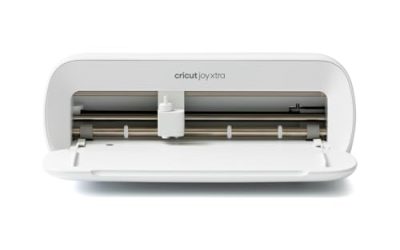
Cricut Joy Xtra

The Joy Xtra is the pick that treats sticker sheets as the main event rather than a side project. Its format is positioned squarely at cards, stickers and labels, which means full sheets sit at the centre of what it was built to do, in a machine small enough to live on the corner of a desk. For apartment crafters and planner-sticker hobbyists, that combination matters: you can run a sheet in the evening without clearing a worktable. Confirm the print-then-cut details on the listing for your region, and it becomes the most natural starting point for sheet-first workflows.
Specs
- Compact smart cutting machine
- Positioned for cards, stickers and labels per its bundle listings
Best for: Desk-based sticker makers producing standard sheets at home.
Watch out for: Verify print-then-cut support and printable area on the listing, and confirm the sheet sizes you use fit its format.
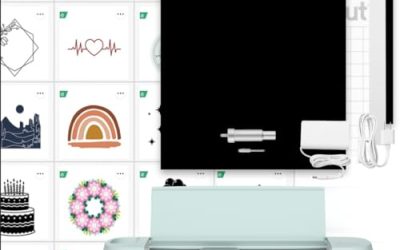
Cricut Explore 3 Bundle

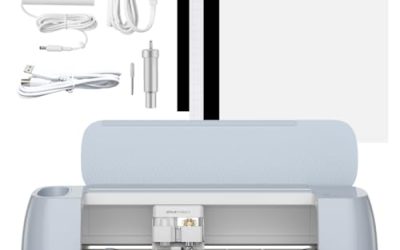
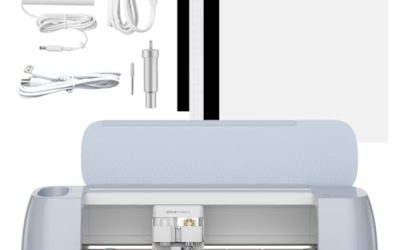
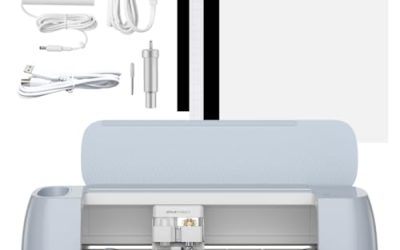
The Explore 3 bundle suits sticker makers who also want room to grow. It cuts more than one hundred materials and works at twice the speed of earlier generations, so the same machine that runs your sticker sheets can move on to vinyl decals and card projects without feeling like a compromise. The included thirty-image library gives new owners designs to practise on while they learn sheet registration and kiss-cut pressure. As a bundle, it reduces the number of separate purchases needed before the first finished sheet, which makes it a sensible middle path between the compact machines and the Maker line.
Specs
- Cuts 100+ materials
- 2x faster than previous generations
- 30-image library included
- Bundle configuration in blue
Best for: Beginners who want sticker capability plus a broad material range in one purchase.
Watch out for: Check exactly which accessories the bundle includes, and confirm print-then-cut is listed before relying on it for printed sheets.
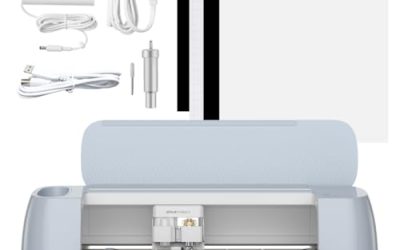
Cricut Maker 3

The Maker 3 is the heavy lifter of this list, built for people whose sticker work is really small-batch production. Matless cutting with Smart Materials removes the mat from long runs entirely, and with more than three hundred materials and ten times the cutting force of the Explore line, it shrugs at thicker sticker stock that lighter machines hesitate over. Bluetooth keeps it cable-free in a busy craft room. If your sheets are one product among many, including packaging and signage, this is the machine that absorbs the whole workload instead of forcing you to plan projects around its limits.
Specs
- 2x faster cutting
- 10x cutting force
- Matless cutting with Smart Materials
- Cuts 300+ materials
- Bluetooth connectivity
Best for: Sellers running frequent batches across stickers and many other materials.
Watch out for: Matless cutting applies to Smart Materials; standard printed sticker sheets still need a mat and careful registration.
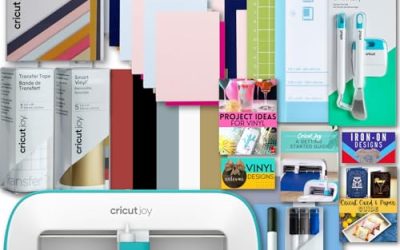
Cricut Joy Bundle

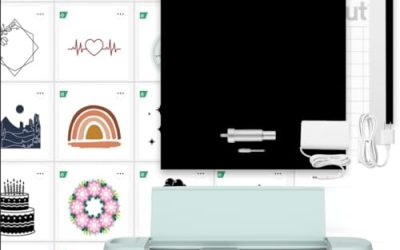
The original Joy, bought as this bundle, is the gentlest entry point for someone whose sticker ambitions are really about cards and decals. The box already contains a card kit, a sampler roll of Smart Vinyl, cutting mats and a tool set, so the first projects happen the day it arrives rather than after a second order. Its compact body suits occasional crafting on a kitchen table. For stickers specifically, treat it as a starter for small decals and labels, and be honest about sheet size: makers who quickly move to full printed sheets will outgrow it sooner than the others here.
Specs
- Card kit included
- Sampler Smart Vinyl roll included
- Cutting mats included
- Tool set included
- Compact machine made for cards and decals per listing
Best for: First-time crafters who want everything for small decals in one box.
Watch out for: Its small format limits sheet work; check the cutting width against the sticker sheets you plan to use.
Cricut Maker

The first-generation Maker remains a strong sticker machine for anyone who values cutting force and tool flexibility over raw speed. Its Adaptive Tool System and ten times cutting force handle thick, layered sticker stock on a mat with confidence, and the library of compatible tools means the same machine can score, write and cut across a mixed project list. Bluetooth keeps setup simple. It lacks the matless Smart Materials workflow of the Maker 3, so sheet production is a mat-based routine, but for makers who already work that way it delivers professional control at the cut settings that matter for clean kiss cuts.
Specs
- 10x cutting force
- Cuts 300+ materials
- Adaptive Tool System
- Bluetooth connectivity
- Champagne finish
Best for: Experienced makers who want maximum tool control for thick stock.
Watch out for: No matless cutting, so plan on mat upkeep for sheet batches, and confirm print-then-cut details on the listing.
Which One Fits Your Situation
You make planner stickers at a small desk
Choose the Joy Xtra. Its whole format is aimed at cards, stickers and labels, so standard sheets are its home territory, and the compact body means the machine can stay out permanently instead of being unpacked for every session. That convenience quietly determines how much you actually make. Pair it with a spare mat and a written-down kiss-cut setting for your favourite paper, and a ten-minute evening session becomes realistic rather than aspirational.
You sell sticker sheets in repeat batches
Choose the Maker 3 if your sheets are part of a wider product range, because its material range and cutting force absorb packaging, signage and thicker stock alongside sticker work. If most of your volume is standard printed sheets on mats, the Explore 3 bundle is the calmer purchase, with enough speed and range for a growing shop. Either way, standardise one paper, save its cut settings, and rotate mats so batch quality stays even from first sheet to fiftieth.
You are buying your very first machine
Choose the Joy Bundle if your projects are cards and small decals, since the included mats, tools and vinyl sampler remove the guesswork from a first order. Choose the Explore 3 bundle instead if stickers on full sheets are the goal from day one; the included image library gives you practice material while you learn registration and pressure. The deciding question is sheet size, not features: be honest about the sheets you will feed it in the first three months.
You already cut thick, layered materials
Choose the original Maker. The Adaptive Tool System and cutting force suit stock that lighter machines struggle to kiss-cut cleanly, and the tool ecosystem lets one machine handle scoring and writing for card projects too. You will work on mats rather than matless, so factor spare mats into the routine. If your workload shifts toward long matless runs of Smart Materials, that is the point where the Maker 3 earns its place as an upgrade rather than a duplicate.
Common Mistakes
- Assuming every machine supports print-then-cut and ordering before checking the listing for the feature and its printable area.
- Using a through-cut setting for stickers, which slices the backing sheet and turns a peelable sheet into loose pieces.
- Running batch after batch on one tired mat until sheets shift mid-cut and whole pages are wasted.
- Testing a new sticker paper with a full design instead of a small corner test to find the kiss-cut pressure.
- Choosing a machine by its material count alone while ignoring whether its format fits the sheet sizes you actually buy.
Frequently Asked Questions
Can these machines cut stickers I print at home?
That workflow is called print-then-cut: you print the sheet, and the machine reads printed registration marks to cut around each design. Support and printable area differ between models and bundles, so treat it as a listing check before buying. Confirm the feature is named for the exact machine you are ordering, and test with your own printer and paper before committing to a large batch.
What is the difference between a kiss cut and a through cut?
A kiss cut passes through the sticker layer only, leaving the backing sheet intact so stickers peel away one by one. A through cut severs both layers, producing separate individual shapes. For sticker sheets you almost always want a kiss cut, achieved with lighter blade pressure. Run a small test shape first and adjust gradually, because the right setting changes with paper thickness and brand.
Do I need special sticker paper for a Cricut?
You need sticker paper that suits your printer and the cut settings, in inkjet or laser versions depending on your printer. The machine cuts any sheet that fits its format and mat, but results vary: some papers kiss-cut cleanly, others tear or lift. Buy a small pack first, find the pressure setting that works, and record it on the pack so repeat orders behave predictably in later batches.
How long do mats last with regular sticker work?
It depends on how often you cut and how you maintain them. Adhesive weakens as fibres and dust build up, and a sheet that slips ruins the cut. Cover mats between sessions, clean them as the maker directs, and rotate two or three so one tired mat never decides the quality of a batch. Treat mats and blades as running costs rather than permanent parts of the machine.
Related guides
More from Amazon
Programs that pair well with the guide above. Offers and eligibility are set by Amazon and may change.
Set up recurring deliveries of everyday items on eligible products. Terms and savings are set by Amazon.
Explore Subscribe & SaveFree shipping on eligible items, Prime Video and more. Eligible new members can start with a free trial.
Start a Prime free trialAudiobooks and podcasts to listen to on the go. Eligible new members can start with a free trial.
Try Audible freeRead from a large library of eBooks and audiobooks on any device. Check Amazon for current plans.
Explore Kindle UnlimitedAs an Amazon Associate we earn from qualifying purchases.

Write Your Review
No reviews yet. Be the first to share your experience!