
Key takeaways
- Making shirts for family events and gifts? Compare five Cricut machines for iron-on projects, from compact starter models to faster full-size cutters.
What's inside
As an Amazon Associate I earn from qualifying purchases. This post may contain affiliate links at no extra cost to you.
The real decision when buying a Cricut for shirts is not how many materials a machine can cut in theory. It is how comfortably it handles iron-on vinyl in the sizes your designs actually need, and how painless the whole routine feels when you only make a few shirts at a time. A machine that is quick to set up, easy to store, and forgiving for beginners will get used far more than a powerhouse that feels like a project in itself.
This guide is for home crafters making shirts for family reunions, birthdays, school events, matching holiday outfits, and handmade gifts. Every pick below was chosen from its Amazon product title and listed specifications, focusing on iron-on work, design size, and everyday ease rather than production volume.
Quick Picks
As an Amazon Associate we earn from qualifying purchases.
| Product | Best for | Key spec from title |
|---|---|---|
| Cricut Explore 3 Bundle (Blue) | Most home shirt makers | Cuts 100+ materials, 2x faster |
| Cricut Joy Xtra | Small designs in small spaces | Compact smart cutting machine |
| Cricut Explore Air 2 (Blue) | A proven full-size starter | Earlier-generation Explore, Bluetooth |
| Cricut Maker 3 | Room to grow beyond shirts | Matless Smart Materials, cuts 300+ materials |
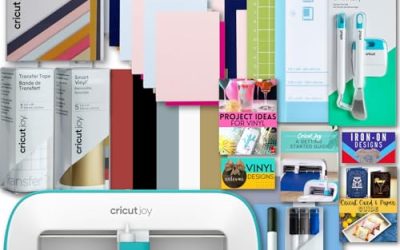
| Cricut Joy Bundle | First shirts with supplies included | Card kit, vinyl sampler, mats and tool set included |
How to Choose
Match the Machine to Your Design Sizes
Shirt designs for adults usually run wider than designs for toddlers, so think about the largest graphic you realistically plan to press. Compact machines suit chest logos, pocket designs, names, and small lettering, while full-size machines give you room for wide adult graphics without splitting a design into pieces. Measure a favorite shirt’s printed area before you buy, and compare it with the cutting width each machine handles. Choosing around your biggest likely design, rather than your average one, prevents the frustration of owning a machine that almost fits the projects you pictured.
Iron-On Basics Matter More Than Raw Power
Nearly every shirt project runs on the same routine: cut iron-on vinyl, weed away the excess, and press the design onto fabric. All five machines here handle that routine, so cutting force headlines matter less for cotton tees than they would for thick materials. What changes your experience is how smoothly the machine loads material, how cleanly it cuts small lettering, and how simple the software feels when you are mirroring a design before cutting. For occasional shirt making, a calm, simple workflow beats maximum capability almost every time.
Consider Setup, Storage, and Everyday Ease
A machine that lives in a closet or craft bin only gets used if setting it up feels trivial. Compact models can sit on a desk corner or kitchen table and pack away in minutes, which suits crafters without a dedicated room. Full-size machines ask for more permanent space but reward you with wider cuts and faster work on bigger designs. Be honest about your home: the best machine for shirts is the one you will happily pull out on a Saturday morning, not the one that makes setup feel like unpacking luggage.
Think About What Comes in the Box
Bundles change the true starting point of a machine. A bundle that includes mats, tools, and a vinyl sampler lets you make a first shirt the day the box arrives, while a bare machine means extra orders before your first project. Check exactly which accessories each listing includes, especially weeding tools and mats, because those small items are essential for iron-on work. If you are giving a machine as a gift, a complete bundle also avoids the anticlimax of handing someone a cutter they cannot use until more supplies arrive.
The 5 Best Options
Cricut Explore 3 Bundle (Blue)

For most people making shirts at home, this bundle hits the comfortable middle: a full-size machine with the supplies to begin right away. It cuts more than one hundred materials, which comfortably covers every iron-on vinyl you will use for tees, and it works at twice the speed of earlier models, so a family set of matching shirts does not eat the whole afternoon. The included library of thirty images gives beginners something fun to cut immediately while they learn the software and build confidence.
Specs
- Cuts 100+ materials
- 2x faster cutting
- 30-image library included
- Bundle edition in Blue
Best for: Home crafters who want one full-size machine that handles family shirt projects from day one.
Watch out for: Confirm exactly which mats, tools, and materials the bundle listing includes before ordering.
ASIN: B0BJHH35DH
Cricut Joy Xtra

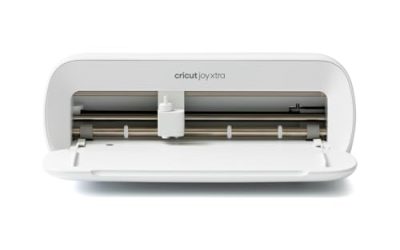
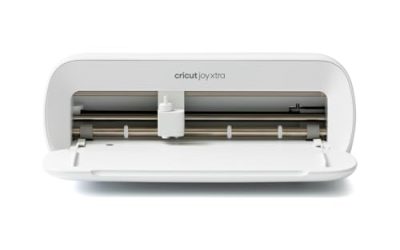
If your shirt projects are small and your craft space is smaller, the Joy Xtra deserves a close look. It is a compact smart cutting machine, which makes it easy to keep on a desk, carry to a friend’s house for a craft night, or store in a cupboard between projects. For names on kids’ tees, small chest logos, sleeve prints, and simple one-line phrases, that compact footprint is not a limitation at all. It suits crafters who value a machine that feels approachable every time they use it.
Specs
- Compact smart cutting machine
Best for: Crafters making small designs who need a machine that stores and sets up easily.
Watch out for: Its compact size limits design width, so check your largest planned graphic against its cutting capacity on the listing.
ASIN: B0CF6L9SMJ
Cricut Explore Air 2 (Blue)
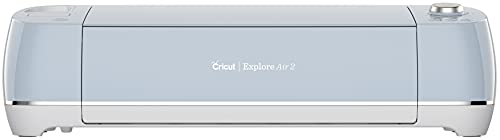
The Explore Air 2 is the earlier-generation Explore, and for shirt making that can be entirely fine. Iron-on vinyl is not demanding material, so a proven previous model handles the core job of cutting tee designs cleanly, and Bluetooth connectivity keeps your workspace free of cables between the machine and your computer or tablet. It makes sense for crafters who want full-size cutting room without paying for the newest generation, and who plan to stick mainly with vinyl, iron-on, and paper projects rather than exotic materials.
Specs
- Earlier-generation Explore model
- Bluetooth connectivity
- Blue finish
Best for: Budget-conscious beginners who want full-size cutting room for classic iron-on projects.
Watch out for: As an earlier generation, it lacks the speed and newer material handling of the Explore 3, so compare both listings carefully.
ASIN: B07WGB21KR
Cricut Maker 3

The Maker 3 is more machine than shirt making strictly requires, and that is exactly why some buyers choose it. It cuts over three hundred materials with ten times the cutting force, works twice as fast, and runs matless with Smart Materials, which means longer iron-on cuts without loading a mat. Pick it if shirts are your starting point rather than your destination: the same machine that presses out birthday tees this month can move on to thicker, more varied craft projects later without needing an upgrade.
Specs
- 2x faster cutting
- 10x cutting force
- Matless cutting with Smart Materials
- Cuts 300+ materials
- Bluetooth connectivity
Best for: Crafters who want shirts today and the widest material range for future projects.
Watch out for: Matless cutting requires Smart Materials, so check material compatibility and ongoing supply needs on the listing.
ASIN: B0942SQ5BD
Cricut Joy Bundle

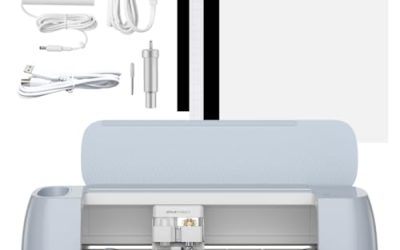
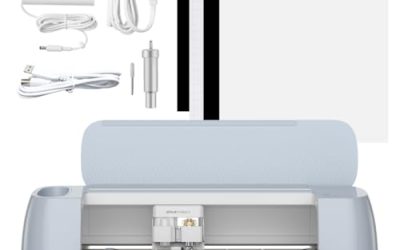
This bundle wraps the compact Joy concept in a starter kit, adding a card kit, a vinyl sampler, mats, and a tool set to the box. For a first-time shirt maker, that combination removes the guesswork of figuring out which accessories to order separately. The machine itself stays small and simple, suited to names, monograms, and modest graphics, while the sampler materials let you practice on a test shirt before committing to a design you care about. It is a gentle, low-commitment entry into shirt making.
Specs
- Card kit included
- Vinyl sampler included
- Mats and tool set included
- Compact machine
Best for: Complete beginners and gift buyers who want a ready-to-start kit for small shirt designs.
Watch out for: The compact format limits design size, and the included sampler is a starting supply rather than a long-term stock.
ASIN: B0D2Y8RYCC
Which One Fits Your Situation
You Make Matching Shirts for Family Events
A few times a year you produce a small batch of tees for reunions, birthdays, or holiday photos. The Explore 3 Bundle fits best: full-size cutting room handles adult designs, the faster cutting keeps a batch moving, and the included image library helps when you need a design quickly. The Explore Air 2 is the alternative if you prefer a proven earlier model and your designs stay simple.
Your Craft Space Is a Corner, Not a Room
If the machine must live in a cupboard and come out onto the kitchen table, choose between the Joy Xtra and the Joy Bundle. Both stay compact and undemanding. The bundle makes more sense for a true beginner because mats, tools, and sampler materials arrive together, while the Xtra suits someone who already owns basic supplies and wants the compact machine on its own.
You Are Buying a Gift for a New Crafter
A gift should work the moment it is unwrapped, so lean toward bundles. The Joy Bundle covers small, friendly projects with everything included, while the Explore 3 Bundle is the stronger gift for someone likely to attempt bigger shirt designs. Either way, add a plain blank tee or two to the present so the first project can happen the same day.
Shirts Are Only Your First Craft
If you already suspect you will move on to thicker materials and varied projects, the Maker 3 is the honest pick despite being more than shirts demand. Its wider material range and matless cutting mean you will not outgrow it quickly. Buy it for where your crafting is heading, not just for the first few tees.
Common Mistakes
- Forgetting to mirror iron-on designs before cutting, which leaves text reading backwards on the finished shirt.
- Choosing a compact machine without checking your largest design against its cutting width.
- Buying a bare machine and discovering you still need mats, weeding tools, and vinyl before the first project.
- Practicing on your best blank shirt instead of testing a new design on an old tee first.
- Assuming every bundle includes the same accessories, when contents differ between listings.
Frequently Asked Questions
Do I need the most powerful machine to make shirts?
No. Iron-on vinyl is light material, and every machine in this guide handles it. Power and material range matter when you move into thicker or more varied projects. For shirts alone, design size, ease of setup, and what arrives in the box will shape your experience far more than cutting force.
Can a compact Cricut make adult-sized shirt designs?
It can make many of them, especially chest logos, names, and narrower graphics. Very wide designs may need to be split into sections and aligned during pressing, which takes patience. If wide, single-piece graphics are your main plan, a full-size Explore or Maker model is the more comfortable choice.
What else do I need besides the machine for a first shirt?
You need iron-on vinyl, a blank shirt, a mat if your machine and material require one, a weeding tool for removing excess vinyl, and a heat source for pressing. Bundles that include mats, tools, and a vinyl sampler cover most of the list, but the shirt and iron-on for your actual design are still on you.
Is a bundle better than buying the machine alone?
For beginners, usually yes. A bundle removes the research and extra orders between unboxing and the first finished shirt, and the included starter materials give you room to practice. Experienced crafters who already own mats and tools may prefer a standalone machine and choose their own supplies instead.
Related guides
More from Amazon
Programs that pair well with the guide above. Offers and eligibility are set by Amazon and may change.
Set up recurring deliveries of everyday items on eligible products. Terms and savings are set by Amazon.
Explore Subscribe & SaveFree shipping on eligible items, Prime Video and more. Eligible new members can start with a free trial.
Start a Prime free trialAudiobooks and podcasts to listen to on the go. Eligible new members can start with a free trial.
Try Audible freeRead from a large library of eBooks and audiobooks on any device. Check Amazon for current plans.
Explore Kindle UnlimitedAs an Amazon Associate we earn from qualifying purchases.

Write Your Review
No reviews yet. Be the first to share your experience!