
Key takeaways
- Compare five Bluetooth blood pressure monitors made for shared household use, with multi-user memory, app sync and storage cases that keep one device tidy.
What's inside
As an Amazon Associate I earn from qualifying purchases. This post may contain affiliate links at no extra cost to you.
A blood pressure monitor shared by a household has a harder job than one bought for a single person. It has to fit different arm sizes, keep each person’s readings apart, work with more than one phone, and still be easy to find when the next person needs it. The wrong pick turns into a tangle of cuff, cable and charger on a shelf, plus a memory log that mixes everyone’s numbers together. The right pick disappears into a routine: one case, one spot, and a log each person can trust.
This guide is for couples, families and roommates who plan to share one device, and for adult children setting up a monitor in a parent’s home. Every monitor below is a Bluetooth smart cuff model with an upper-arm cuff, chosen from its Amazon listing by cuff range, user memory, app sync and what comes in the box for storage. Compare those four details first, and the shortlist gets much shorter.
Quick Picks
As an Amazon Associate we earn from qualifying purchases.
| Product | Best for | Key spec from title |
|---|---|---|
| OMRON Platinum BP5465 | Two adults sharing one monitor daily | Bluetooth, 2 users with 100 readings each, guest mode |
| Withings BPM Connect | Syncing without a phone nearby | Wi-Fi and Bluetooth, integrated 22 to 42 cm cuff |
| OMRON Silver BP5255 | One main user who wants an easy cuff | Bluetooth, pre-formed ComFit cuff, 30 readings |
| iHealth Track KN-550BT | A large display and a long on-device log | Bluetooth, 99-reading memory, wide-range cuff |
| OMRON Bronze BP5150 | Simple app-based tracking on a budget | Bluetooth, 14 readings, storage case included |
How to Choose
Count the user slots before you count the features
The most important number on a shared monitor is how many user profiles it stores on the device. A two-user monitor keeps two full logs apart, so a couple can each check their own history without sorting through the other’s numbers. A single-user monitor stores one list, and a second person’s readings simply join that list in date order. Some single-user models still work if each person pairs the monitor to their own phone and app account, but that only helps when everyone actually opens the app. Guest mode is a useful middle ground: it takes a reading without saving it, so a visitor’s check never pollutes the stored log.
Measure every arm that will use the cuff
A cuff that fits one person well can fit another badly, and fit is what the whole measurement depends on. Most of the monitors below ship with a wide-range cuff covering arms from 9 to 17 inches, which suits most adults in a household, while the Withings model covers 22 to 42 cm. Measure each person’s upper arm at its midpoint with a tape measure before you buy, and compare the largest and smallest arms against the stated range. Pre-formed cuffs hold their shape and are easier to slide on with one hand, while soft D-ring cuffs wrap flatter and pack smaller into a case.
Decide who owns the sync
Bluetooth syncing moves readings to a phone app, but the details decide whether a household stays organised or ends up with one tangled account. Bluetooth models need the phone nearby with the app open, or at least paired, to transfer readings. A Wi-Fi model can sync on its own once it is set up, which suits a monitor that lives in a shared bathroom or bedroom. The cleanest setup is one app account per person, each paired to the same monitor from their own phone. Sharing one login across the household mixes everyone’s history into a single feed, which defeats the point of a smart monitor.
Plan where the device lives between uses
A shared monitor gets handled far more than a personal one, so storage is a feature, not an afterthought. A storage case keeps the monitor, cuff and manual together in one grab-and-go bundle, and it stops the cuff from getting crushed at the bottom of a drawer. One-piece designs with the monitor attached to the cuff have fewer loose parts to lose, which matters when three people use the same device. Power matters too: battery models are simple to move between rooms, rechargeable models remove the battery hunt, and an included AC adapter suits a monitor that stays in one spot.
The 5 Best Options
OMRON Platinum BP5465

The Platinum is the most household-ready monitor in this list because its memory is built for two people by design. It stores 100 readings for each of two users, plus a guest mode for readings that should not be saved at all, so a couple can share one device for months without opening an app. Its TruRead feature takes three consecutive readings and averages them, and a backlit high-contrast display stays readable in a dim bedroom. The box includes a storage case and an AC adapter, so the monitor has a permanent home and a permanent power source.
Specs
- Bluetooth sync to the free OMRON Connect app
- 2 users with 100 readings each on the device, plus guest mode
- Wide-range D-ring cuff for arms 9 to 17 inches
- Backlit high-contrast display
- AFib screening feature and irregular heartbeat detection
- TruRead averaging across three consecutive readings
- Storage case and AC adapter included
- 6-year warranty
Best for: Two adults sharing one monitor every day and wanting separate logs without opening an app.
Watch out for: When the AFib screening feature flags a possible issue, the monitor withholds the reading, so read the manual first to understand what that symbol means.
Withings BPM Connect

The Withings BPM Connect suits households where the monitor should look after itself. It syncs over Wi-Fi as well as Bluetooth, so readings reach the Health Mate app even when nobody’s phone is in the room, and the app stores an unlimited history. Its cuff is integrated with the monitor in one compact unit, with a colour-coded display that gives immediate feedback after each measurement. One-button operation means there is almost nothing to learn, which helps when the device passes between people of very different comfort levels with technology.
Specs
- Wi-Fi and Bluetooth sync to the Health Mate app
- Integrated cuff for arms 22 to 42 cm
- Colour-coded feedback display
- Rechargeable battery
- One-button operation
- Unlimited storage in the app
Best for: Households where the monitor syncs on its own and each person checks results in the app.
Watch out for: Wi-Fi setup uses a 2.4 GHz network, so confirm your home network band before buying.
OMRON Silver BP5255
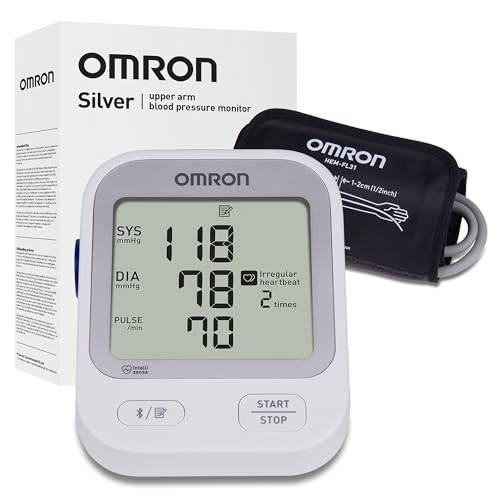
The Silver is the pick for a household with one main user who values a cuff that is easy to put on alone. Its pre-formed Easy-Wrap ComFit cuff holds its shape, so it slides onto the arm and tightens with one hand, and it covers arms from 9 to 17 inches. An extra-large LCD screen shows results in large, plain figures, and the monitor flags irregular heartbeats and body movement during measurement. It stores 30 readings on the device and syncs the rest to the OMRON Connect app, where the history is unlimited. A storage case is included in the box.
Specs
- Bluetooth sync to the free OMRON Connect app
- Pre-formed Easy-Wrap ComFit cuff for arms 9 to 17 inches
- Extra-large LCD screen
- 30 readings stored on the device for one user
- Irregular heartbeat and body movement detection
- Hypertension indicator
- Storage case included
- 3-year warranty
- 4 AA batteries included
Best for: One main user in the household who wants the easiest cuff to put on alone.
Watch out for: Memory is single-user, so a second person’s readings land in the same list unless they use their own app profile.
iHealth Track KN-550BT
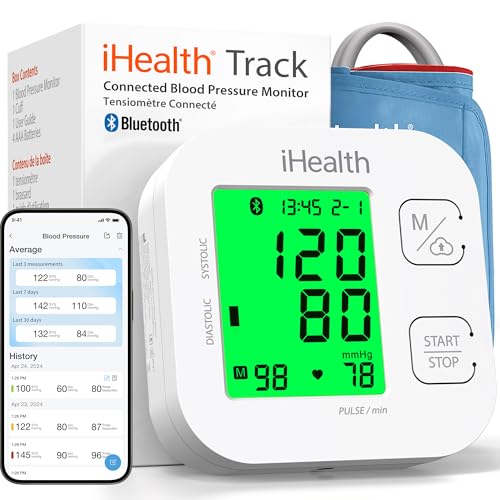
The iHealth Track earns its place with a long on-device log and a display that is hard to misread. It stores 99 readings in the monitor itself, which covers weeks of regular use before anything needs syncing, and its large display uses a colour-coded indicator to show where a result sits. The wide-range cuff fits standard to large adult arms, and irregular heartbeat detection is built in. Readings sync by Bluetooth to the iHealth MyVitals app on iOS and Android, where averages across recent measurements are shown alongside the full history.
Specs
- Bluetooth sync to the iHealth MyVitals app for iOS and Android
- 99-reading memory on the device
- Wide-range cuff for standard to large adult arms
- Large display with colour-coded indicator
- Irregular heartbeat detection
Best for: A household that wants a large, easy-to-read display and a long on-device log.
Watch out for: The on-device memory is a single shared log, so pair each person’s phone to keep individual histories straight.
OMRON Bronze BP5150

The Bronze is the simplest way into app-connected monitoring for a household that always syncs. It is a one-touch upper-arm monitor with Bluetooth, a wide-range D-ring cuff for arms 9 to 17 inches, and a storage case that keeps the monitor, cuff and manual together. The display is plain and uncluttered, with a hypertension indicator and alerts for irregular heartbeat and body movement. Its on-device memory holds only 14 readings for one user, which is the trade-off for its simplicity, but the OMRON Connect app stores an unlimited history once paired.
Specs
- Bluetooth sync to the free OMRON Connect app
- Wide-range D-ring cuff for arms 9 to 17 inches
- 14 readings stored on the device for one user
- One-touch operation with a simple display
- Hypertension indicator
- Irregular heartbeat and body movement detection
- Storage case included
- 4 AA batteries included
- 2-year warranty
Best for: A household that always syncs to the app and wants the simplest possible monitor.
Watch out for: Only 14 readings fit on the device, so the app is the real memory here, and without regular syncing the oldest readings roll off.
Which One Fits Your Situation
Two adults measuring every day
Pick the OMRON Platinum BP5465. Two user slots with 100 readings each mean neither person has to think about the app to keep their history separate, and guest mode covers the occasional visitor. The backlit display and included AC adapter suit a monitor that lives on a bedside table and gets used morning and evening.
Everyone in the house has their own phone
Pick the Withings BPM Connect if you want syncing that happens without anyone’s phone nearby, since its Wi-Fi connection sends readings to the Health Mate app on its own. Pick the OMRON Platinum BP5465 instead if you prefer two named user slots on the device itself and a screen everyone can read at a glance.
One main user, plus occasional guests
Pick the OMRON Silver BP5255 for the easiest cuff to apply alone, and let guests use the Platinum’s guest mode if they measure often enough to matter. The Bronze BP5150 also works here when the main user always syncs to the app, since its small on-device memory never becomes a problem.
A small shelf and a tight routine
Pick the OMRON Bronze BP5150 or the Withings BPM Connect. The Bronze packs monitor, cuff and manual into its included case, while the Withings one-piece design has almost no loose parts to lose. Either one fits a single shelf spot that the whole household can remember, and both are quick to pick up and put away.
Common Mistakes
- Buying before measuring every arm that will use the cuff, then finding the cuff is too small for one person.
- Choosing a single-user monitor for two regular users and ending up with one mixed log nobody can sort out.
- Skipping the app setup on day one, then losing older readings when the small on-device memory fills up.
- Sharing one app login across the household, which mixes everyone’s history into a single feed.
- Storing the cuff loose in a drawer instead of in its case, where it gets tangled, crushed or lost.
Frequently Asked Questions
Can two people share one Bluetooth blood pressure monitor?
Yes, and the cleanest way is a monitor with two user slots on the device, such as the OMRON Platinum BP5465, which keeps 100 readings per person apart. Single-user models can also work when each person pairs the monitor to their own phone and app account. Guest mode covers visitors without saving their readings.
How do I keep readings from different people separate?
Use a separate user slot or a separate app account for each person, and agree on the routine before the first measurement. Two-user monitors handle this on the device, while single-user models rely on each person’s phone. Never share one app login across the household, since that merges every reading into one history.
Does the monitor need a phone nearby to work?
No. Every monitor in this guide measures and displays results on its own, with or without a phone in the room. The phone matters only for syncing: Bluetooth models transfer readings when the phone is nearby and the app is open, while Wi-Fi models such as the Withings BPM Connect sync on their own.
What should I check before buying for a shared household?
Check four things: the cuff range against the largest and smallest arms in the house, the number of user slots against the number of regular users, whether the companion app runs on every phone in the house, and what storage comes in the box. A case, a fixed shelf spot and a clear app routine matter more than any single extra feature.
Related guides
More from Amazon
Programs that pair well with the guide above. Offers and eligibility are set by Amazon and may change.
Set up recurring deliveries of everyday items on eligible products. Terms and savings are set by Amazon.
Explore Subscribe & SaveFree shipping on eligible items, Prime Video and more. Eligible new members can start with a free trial.
Start a Prime free trialAudiobooks and podcasts to listen to on the go. Eligible new members can start with a free trial.
Try Audible freeRead from a large library of eBooks and audiobooks on any device. Check Amazon for current plans.
Explore Kindle UnlimitedAs an Amazon Associate we earn from qualifying purchases.










Write Your Review
No reviews yet. Be the first to share your experience!